



Disclaimer: Manual deployments are dead. DevOps automation tools can make or break your development workflow in 2026. Smart teams now rely on automated pipelines that handle everything from code commits to production releases. This guide breaks down 22 essential DevOps automation tools across six core categories. We'll show you which tools work best for startups versus enterprises. You'll discover the exact combinations that eliminate bottlenecks and speed up delivery. No fluff, just real-world insights from ELITEX, team who actually use these tools in production.
In 2026, the market offers DevOps automation services for every need and budget. Development teams now watch manual processes vanish as automated pipelines handle testing, integration, and releases with minimal human intervention needed. And, at the very heart of any DevOps automation lies a carefully chosen set of tools that make this magic possible.
The wide range of available DevOps automation tools and platforms in 2026 spans from lightweight CI/CD solutions perfect for startups to enterprise-grade orchestration systems that manage multi-cloud deployments. Choosing the right combination determines whether your DevOps automation delivers speed and reliability or creates new bottlenecks. And today, we are going to leverage our decade-long expertise as a DevOps service provider to help you cut through this complex marketplace and identify the tools that best match your specific requirements and technical environment. So, without any further ado, let’s go!
What can be called DevOps automation tools?
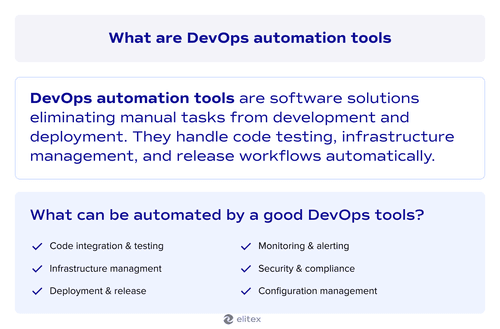

DevOps automation tools are software solutions that help software engineers eliminate repetitive tasks from the development and deployment processes. These DevOps tools handle everything from code commits and testing to infrastructure provisioning and monitoring, with minimal human intervention needed or even completely without it. Modern DevOps automation tools focus on task automation across the entire software lifecycle, turning hours of manual work into minutes of automated execution that runs consistently every time.
Learn more about DevOps benefits in a dedicated article.
How did we select our DevOps automation tools?
Our selection process starts with real-world experience. The tools we write about today are DevOps automation tools we actually deploy and manage in client projects across different industries and company sizes. Each tool on this list has proven its value in production environments where reliability and performance matter most.
We’ll evaluate each DevOps automation tool across key metrics, including setup complexity, feature depth, pricing models, and integration capabilities. However, before actually diving into detailed reviews of separate tools, we need to organize them into functional categories since they serve different purposes in the DevOps pipeline. This categorization helps DevOps teams understand which tools complement each other and which ones compete for the same role in the automation strategy.
Categories of DevOps automation tools
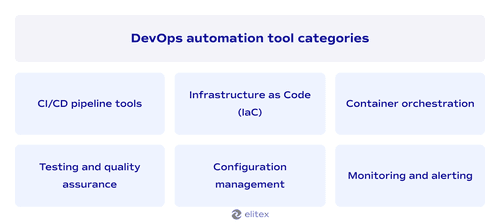
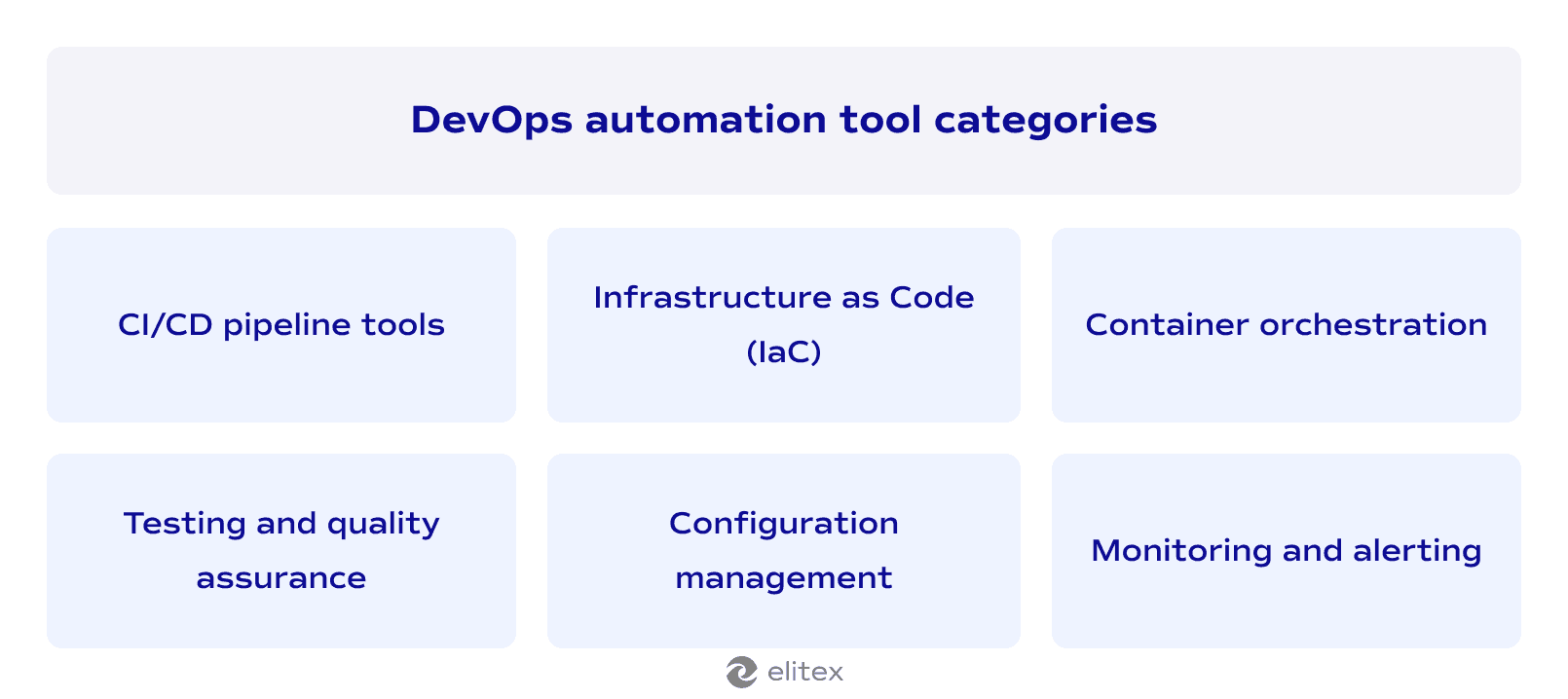
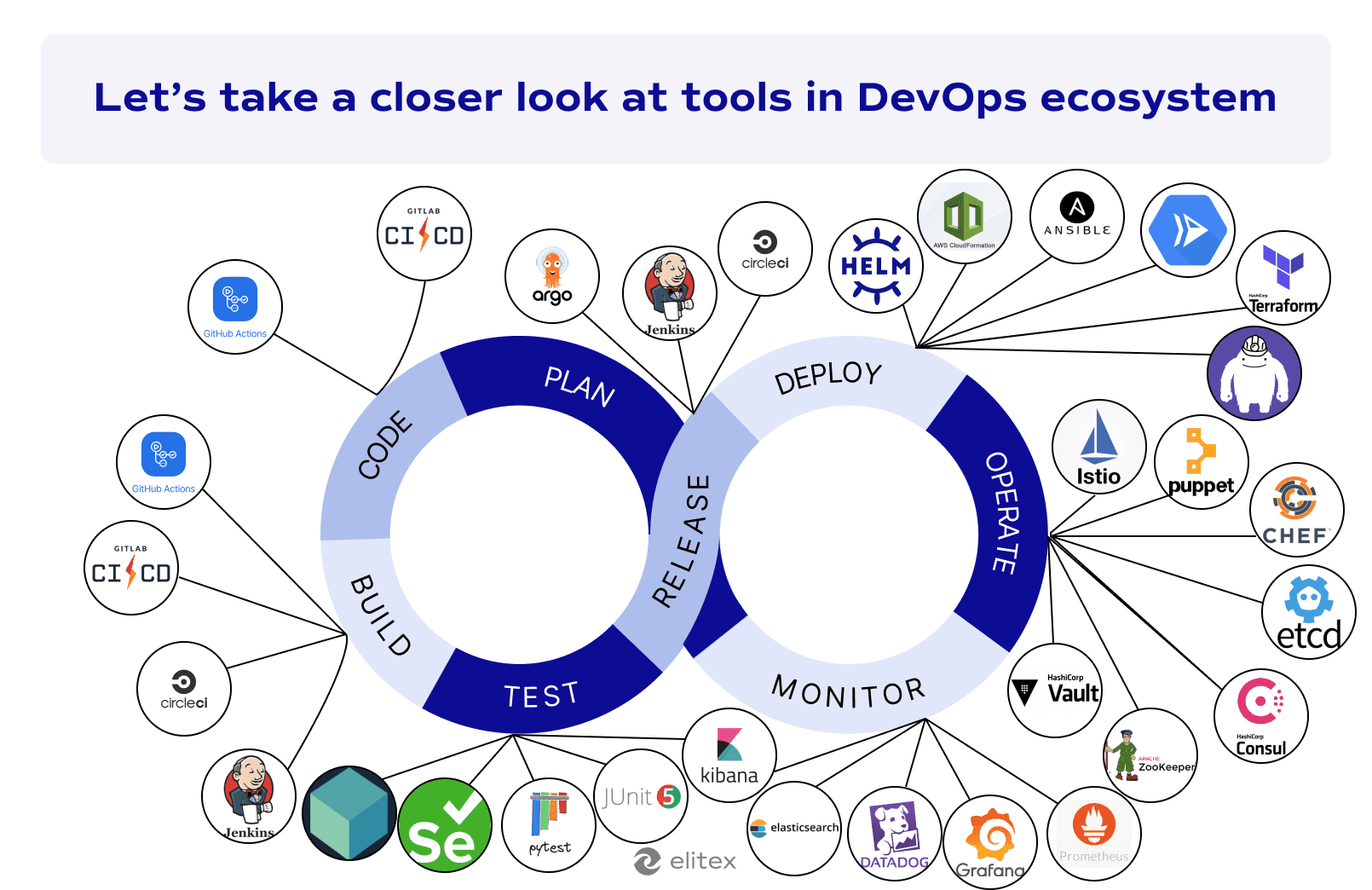
Here is the list of categories with examples of automation DevOps tools:
1. CI/CD pipeline tools: These platforms automate code integration, testing, and deployment workflows from commit to production:
- GitLab CI/CD, GitHub Actions, Jenkins, Circle CI, ArgoCD
2. Infrastructure as Code (IaC): DevOps automation tools that manage and provision infrastructure through code rather than manual configuration:
- Terraform/Terragrunt, AWS CloudFormation, Ansible
3. Container orchestration: Platforms that automate the deployment, scaling, and management of containerized applications
- Kubernetes (EKS/GKE), AWS ECS/Fargate, Google Cloud Run, Istio, Helm
4. DevOps automation testing tools: Automated testing frameworks and code quality tools that validate software without manual intervention:
- JUnit, PyTest, Mocha, Selenium, Postman, Locust, SonarQube, Testcontainers
5. Configuration management: Systems that maintain consistent server configurations and manage distributed application settings:
- Ansible, Puppet, Chef, Etcd, Consul, Zookeeper, Vault
6. Monitoring and alerting: Tools that track system performance, collect logs, and notify teams of issues automatically:
- Prometheus, Grafana, Uptime, Datadog, FluentBit, Elasticsearch, Kibana, Sentry, PagerDuty.
Important note: Security automation tools integrate across categories, with solutions like Snyk, Dependabot, and AWS Security Hub providing automated vulnerability scanning, dependency updates, and compliance monitoring throughout the automated DevOps pipeline. Security is such a big topic that we decided to write a separate dedicated article. Also, in this article we compared DevOps vs DevSecOps. Our other article focuses on DevOps trends, and there we also mention some of the newest popular tools for DevOps, so don’t hesitate to check them!
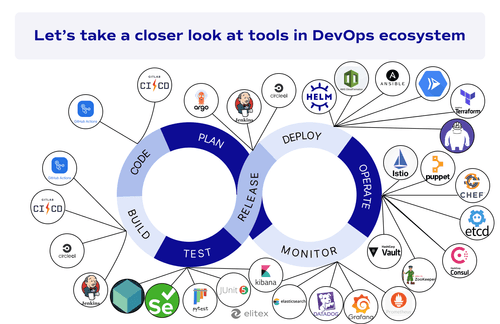
Continuous Integration/Continuous Delivery pipeline tools
CI/CD pipeline tools automate the journey from code commit to production deployment. Developers push code, and these platforms immediately trigger builds, run tests, and deploy applications without a human touch. With these tools, teams cut deployment times from days to minutes while catching bugs before they actually reach users.
| DevOps automation tools for CI/CD pipelines | Setup complexity | Pricing models | Key strengths | Best for |
| GitLab CI/CD | Easy to moderate | Free (400 min), Premium ($19-29/user), Ultimate (custom price) | Integrated security scanning, auto-scaling runners, native GitLab ecosystem | Teams using GitLab for source control and project management |
| GitHub Actions | Easy | Free (unlimited public, 2K min private), Pay-per-use | Native GitHub integration, extensive marketplace, matrix builds | GitHub-hosted projects and open-source development |
| Jenkins | Moderate to Hard | Free open-source (infrastructure costs apply) | Maximum flexibility, vast plugin ecosystem, complete customization | Organizations needing full control and custom workflows |
| CircleCI | Moderate | Free tier, Performance plans (usage-based), Enterprise (custom) | Container-focused workflows, Orbs for reusability, multiple executors | Teams prioritizing containerized deployments |
| ArgoCD | Moderate | Free open-source | GitOps methodology, visual dashboard, multi-cluster management | Kubernetes-native teams adopting GitOps practices |
GitLab CI/CD
GitLab CI/CD delivers comprehensive automation directly within the GitLab platform. To start with, your team can define pipelines using simple YAML files while leveraging built-in runners for immediate execution. GitLab CI/CD handles everything from basic builds to complex multi-stage deployments with parallel processing. Enterprise teams benefit from integrated security scanning and continuous compliance tools. GitLab CI/CD is ideal when your team already uses GitLab for source control and wants integrated security scanning, enterprise compliance features, and seamless project management within a single platform.
Key features:
- Multi-stage pipelines with parallel execution and caching;
- Built-in security testing (SAST, DAST, vulnerability scanning);
- Auto-scaling runners and easy-to-go Kubernetes integration;
- Real-time logging and test reporting;
- Auto DevOps for zero-configuration setups
Setup complexity: Easy to moderate
Pricing models: Free (400 minutes), Premium ($19-29/user), Ultimate (custom price)
Integration capabilities: Native GitLab ecosystem integration, Kubernetes support, Docker services, multi-project pipelines, custom runners with various executors.
GitHub Actions
GitHub Actions provides native CI/CD automation built directly into GitHub repositories. You can create a workflow using YAML files that trigger on code events like pushes and pull requests. The platform offers thousands of pre-built actions from its marketplace for instant functionality. Matrix builds allow testing across multiple operating systems and language versions simultaneously. GitHub Actions is an excellent choice for development teams hosting code on GitHub who want native repository integration, extensive marketplace actions, and free unlimited minutes for open-source projects.
Key features:
- Multi-job workflows with dependencies and conditional execution;
- Matrix builds for cross-platform testing;
- GitHub environments for staged deployments;
- Secrets management and security controls;
- Extensive marketplace with pre-built actions
Setup complexity: Easy;
Pricing models: Free (unlimited public repos, 2,000 minutes private), Pay-per-use for additional minutes);
Integration capabilities: Native GitHub ecosystem integration, pull requests, branch protection, GitHub Packages, self-hosted runners, webhook triggers, third-party marketplace actions.
Jenkins
Jenkins is an open-source project with a CI/CD automation server that offers maximum flexibility through its vast plugin ecosystem. In this case, you can write pipeline scripts in Groovy syntax to create complex workflows with parallel execution and distributed builds. The platform requires manual setup and ongoing maintenance, but provides unlimited customization options. Software development teams typically choose Jenkins when they need complete control over their CI/CD processes and have the expertise to manage complex, highly customized automation workflows.
Key features:
- Complex pipelines with parallel execution, forks, and loops;
- Vast plugin ecosystem for tool integration;
- Declarative and scripted pipeline syntaxes;
- Distributed builds via agents;
- Shared libraries and templating for reuse.
Setup complexity: Definitely harder than in the two previous cases; moderate to hard
Pricing models: Free open-source (infrastructure and maintenance costs apply)
Integration capabilities: Extensive plugin ecosystem supporting GitHub, GitLab, Maven, Gradle, Kubernetes, Docker, Slack, testing frameworks, and virtually all DevOps automation tools through community plugins.
CircleCI
CircleCI is a cloud-based continuous integration platform and one of the leading automation tools for DevOps teams seeking containerized workflows. The platform excels at parallel job execution and offers reusable Orbs for common integrations. CircleCI is an excellent choice for teams focused on containerized DevOps workflows who want powerful Orbs for reusable configurations and need a flexible execution environment across multiple operating systems.
Key features:
- Multi-job workflows with dependencies and manual approvals;
- Multiple executors (Linux, macOS, Windows, Android environments);
- Orbs for reusable configuration packages;
- Built-in caching and parallelism for faster builds;
- Custom runners for on-premises infrastructure;
Setup complexity: Moderate
Pricing models: Free tier (limited minutes), performance plans (usage-based), enterprise (custom pricing)
Integration capabilities: Native GitHub/BitBucket/GitLab integration, Docker registries, cloud providers, Kubernetes clusters, third-party tools via Orbs, webhooks, and API access.
ArgoCD
ArgoCD is a declarative GitOps continuous delivery tool specifically designed for Kubernetes environments. It monitors Git repositories and automatically synchronizes application state with cluster deployments. ArgoCD stands out among DevOps automation tools for its pull-based deployment model and visual application management interface. ArgoCD is a popular choice for Kubernetes-native teams adopting GitOps practices who want declarative deployments with visual application management and automated Git-to-cluster synchronization.
Key features:
- GitOps-based CD with Git as source of truth;
- Visual application dashboard and deployment status tracking;
- Multi-cluster management and RBAC security controls;
- Automated sync policies with rollback capabilities
Setup complexity: Moderate
Pricing models: Belongs to free open-source tools
Integration capabilities: Git repositories (GitHub, GitLab, Bitbucket), Kubernetes clusters, Helm charts, Kustomize, custom resource definitions, webhook notifications, SSO providers.
IaC tools
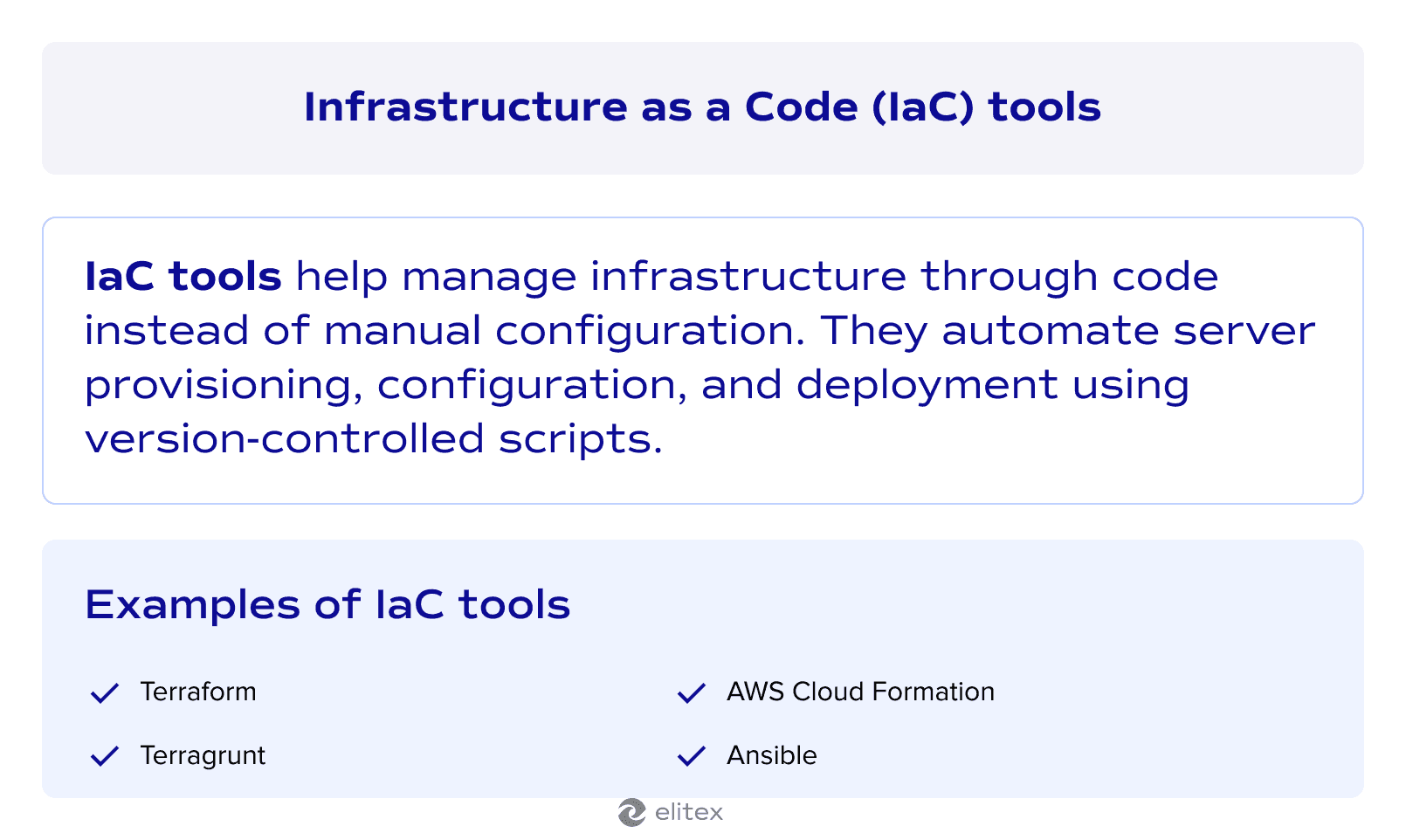
The next category of DevOps automation tools for today is IaC tools. These platforms allow software developers to define and manage infrastructure components using code files instead of manual server configuration. With specialized IaC tools, DevOps specialists and software engineers can provision their entire infrastructure through version-controlled scripts, ensuring consistent environments and eliminating human errors. IaC tools treat servers, networks, and cloud resources like application code with testing, rollbacks, and automated deployments. Here are some of them:
| Tool | Setup complexity | Pricing | Cloud support | Key strengths | Best for |
| Terraform/Terragrunt | Easy/Moderate | Free open-source (Terraform Cloud paid) | Multi-cloud (AWS, Azure, GCP) | Multi-cloud flexibility, extensive provider ecosystem | Organizations using multiple cloud providers |
| AWS CloudFormation | Moderate | Free service (pay for resources) | AWS only | Deep AWS integration, DevOps managed service | AWS-centric infrastructure deployments |
| Ansible | Easy | Free open-source (Red Hat subscription available) | Multi-cloud + on-premises | Agentless architecture, configuration managementServer configuration and application | Server configuration and application deployment for almost any organization |
Read our article about infrastructure cost optimization
Terraform/Terragrunt
Terraform defines infrastructure using HashiCorp Configuration Language (HCL) while Terragrunt wraps Terraform to manage complex infrastructure deployments across multiple environments. Together, they handle everything from single-server setups to multi-cloud enterprise architectures. Terragrunt eliminates configuration duplication and automates state management for large-scale projects. This combination is ideal for organizations managing multi-cloud or multi-environment infrastructure, where Terragrunt reduces manual efforts in state management and configuration duplication across complex deployments.
Key features:
- Declarative infrastructure definition with multi-cloud support;
- Reusable modules and dependency management;
- Remote state management and backend automation (Terragrunt);
- DRY principles for multi-environment configurations (Terragrunt);
- Multi-provider support for hybrid cloud deployments
Setup complexity: Easy (Terraform), Moderate (Terragrunt)
Pricing models: Free open-source (Terraform Cloud paid tiers available)
Integration capabilities: All major cloud providers (AWS, Azure, GCP), CI/CD pipelines, multiple state backends, third-party services via extensive provider ecosystem.
AWS CloudFormation
AWS CloudFormation automates cloud infrastructure provisioning through YAML/JSON templates exclusively within the AWS ecosystem. With it, you can define AWS resources declaratively and deploy them as managed stacks with automatic rollback capabilities. CloudFormation integrates deeply with AWS services and remains among the most popular DevOps automation tools for AWS-centric environments. It is an ideal choice for teams that want deep native integration and managed infrastructure automation within a single cloud provider.
Key features:
- Declarative YAML/JSON templates for AWS resource definition;
- State management with create, update, and delete operations;
- Change sets for previewing infrastructure modifications;
- Nested stacks for modular architecture design;
- Multi-region and cross-account deployment support;
- Automatic rollback and recovery on deployment failures
Setup complexity: Moderate
Pricing models: Free service (pay only for provisioned AWS resources)
Integration capabilities: Native AWS ecosystem integration, CI/CD pipelines, IAM security controls, CloudWatch monitoring, custom resources via Lambda.
Ansible
Ansible automates infrastructure and application deployment through agentless YAML playbooks that connect via SSH. With this tool, you can manage servers, cloud resources, and network devices without installing agents on target systems. The platform excels at configuration management and works as both a standalone cloud service automation tool and a complement to other IaC solutions. Ansible is ideal for teams needing agentless server configuration and application deployment across diverse infrastructure without installing software on target systems. It also offers decent configuration management and automation capabilities for maintaining consistent environments.
Key features:
- Agentless architecture using SSH communication;
- YAML-based playbooks with idempotent execution;
- Extensive module library for multi-platform support;
- Dynamic inventory for cloud environment management
Setup complexity: Easy
Pricing models: Free open–source (paid subscription available)
Integration capabilities: All major cloud providers, CI/CD pipelines, container orchestration platforms, network devices, configuration management tools, version control systems.
Also read our article about DevOps-as-a-Service
Automation tools for DevOps container orchestration
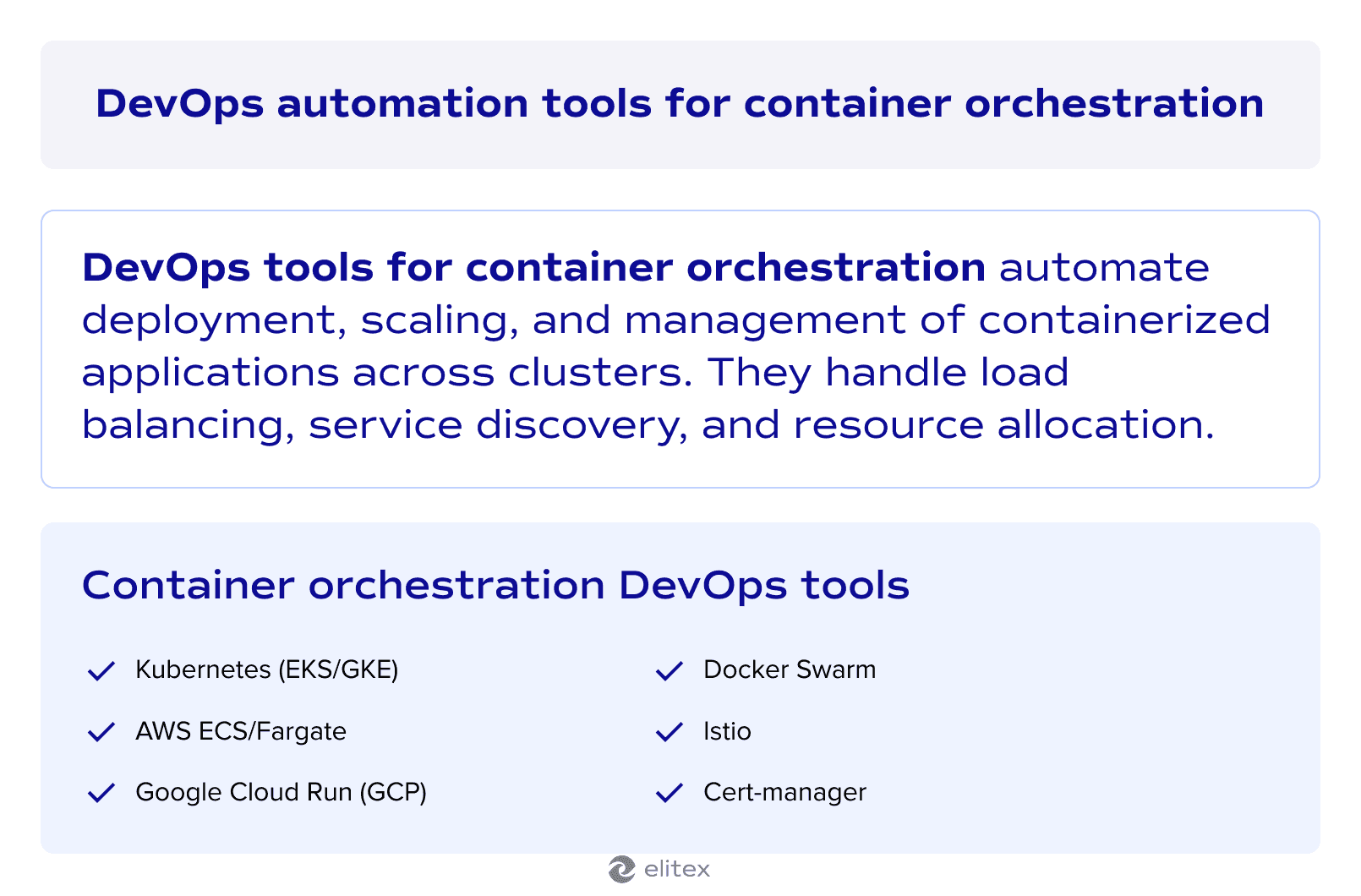
Container orchestration platforms automate the deployment, scaling, and management of containerized applications across clusters. These DevOps tools handle load balancing, service discovery, and rolling updates without manual interventions. Also, DevOps automation tools provided below integrate with CI/CD pipelines to enable consistent application delivery at scale.
| Tool | Setup complexity | Pricing | Cloud support | Key strengths | Best for |
| Kubernetes (EKS/GKE) | Moderate | EKS: cluster fee + compute; GKE: free control plane + nodes | Multi-cloud (AWS, GCP) | Auto-scaling, self-healing, extensive ecosystem | Complex applications needing full orchestration |
| AWS ECS/Fargate | Easy to moderate | ECS free + compute; Fargate pay-per-use | AWS only | Serverless execution, deep AWS integration | AWS-native applications with minimal infrastructure management |
| Google Cloud Run | Easy | Pay-per-use with generous free tier | GCP only | Scale-to-zero, automatic SSL, traffic splitting | Stateless microservices and API deployments |
| Istio | Moderate to hard | Free open-source (operational costs) | Kubernetes-based | Service mesh, mTLS security, advanced traffic control | Microservices requiring enhanced networking and security |
Kubernetes (EKS/GKE)
Kubernetes orchestrates Docker containers across clusters with managed services, like EKS and GKE handling control plane operations. The platform automates deployment, scaling, and management of containerized applications with self-healing capabilities. EKS/GKE provides deep integration with cloud services while reducing operational overhead compared to self-managed clusters. Kubernetes is ideal for organizations running complex, multi-tier applications that require robust orchestration, auto-scaling, and enterprise-grade reliability across multiple environments.
Key features:
- Automated rollouts, rollbacks, and horizontal pod autoscaling;
- Service discovery, load balancing, and storage orchestration;
- Self-healing with automatic pod replacement and rescheduling;
- Declarative configuration using YAML manifests and Helm charts
Setup complexity: Moderate;
Pricing models: EKS (fixed cluster fee + compute costs), GKE (free control plane + node costs);
Integration capabilities: Native AWS/GCP services integration, CI/CD pipelines, container registries, monitoring tools (Prometheus/Grafana), service mesh solutions, cloud IAM and RBAC.
AWS ECS/Fargate
AWS ECS provides managed container orchestration while Fargate eliminates server management through serverless compute. This single tool handles task definitions, service management, and automatic scaling without infrastructure overhead. Fargate abstracts cluster management completely, letting you focus on application deployment. The platform integrates deeply with AWS services for security and monitoring. Unlike other automation tools for DevOps, this combination requires no Kubernetes expertise while delivering enterprise-grade container orchestration within the AWS ecosystem.
Key features:
- Serverless container execution with automatic infrastructure provisioning;
- Hybrid deployments supporting on-premises and cloud workloads;
- Fine-grained IAM security and container-level permissions;
- Auto-scaling based on CPU, memory, or custom metrics;
- Native load balancing and service discovery;
Setup complexity: Easy to moderate;
Pricing models: ECS free (pay for compute), Fargate pay-per-use (CPU/memory per second);
Integration capabilities: Seamless integration with native AWS ecosystem, container registries (ECR, Docker Hub), CI/CD pipelines, VPC networking, real-time monitoring through CloudWatch integration, and various monitoring and security tools.
Google Cloud Run GCP
Google Cloud Run provides serverless container execution that automatically scales from zero to handle traffic spikes. The platform runs stateless containers without server management and charges only for actual usage. Cloud Run supports both fully managed and Anthos environments for hybrid deployments. It excels at microservices and API deployments for common DevOps tasks. Google Cloud Run is an ideal choice for teams deploying stateless microservices or APIs that need automatic scaling with pay-per-request pricing and minimal operational overhead.
Key features:
- Serverless container execution with automatic scaling to zero;
- Built-in traffic splitting for canary deployments;
- Custom domains with automatic SSL certificate provisioning;
- Concurrency control and request timeout configuration;
- Integration with Cloud Build for automated deployments
Setup complexity: Easy;
Pricing models: Pay-per-use (CPU, memory, requests), generous free tier;
Integration capabilities: Extensive integrations with Google Cloud services, CI/CD pipelines, container registries, Cloud Build, IAM security, VPC networking, monitoring tools.
Istio
Istio is a service mesh platform that adds traffic management, security, and observability to Kubernetes microservices. It injects Envoy sidecar proxies alongside containers to control service-to-service communication. The platform automates manual tasks like certificate management and policy enforcement across a wide range of deployment scenarios. Istio centralizes configuration through its control plane while providing distributed traffic control. It’s ideal for teams managing complex microservices architectures that require advanced security, traffic routing, and observability capabilities across multiple Kubernetes clusters.
Key Features:
- Advanced traffic routing with load balancing and fault injection
- Automatic mutual TLS for service-to-service security
- Built-in observability with metrics, logs, and distributed tracing
- Circuit breakers and resilience patterns for reliability
- Multi-cluster service mesh management
Setup Complexity: Moderate to Hard
Pricing Models: Free open-source (operational costs apply)
Integration Capabilities: Native Kubernetes integration, Envoy proxy, CI/CD pipelines, monitoring tools (Prometheus, Grafana, Jaeger), security ecosystems, multi-cloud environments.
DevOps test automation tools
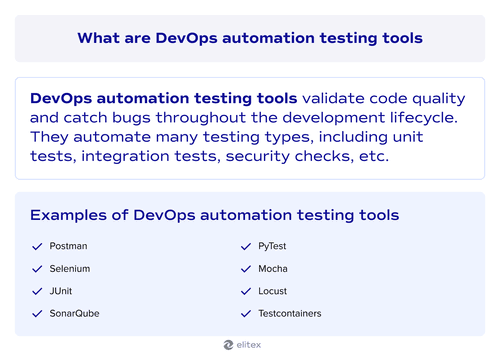
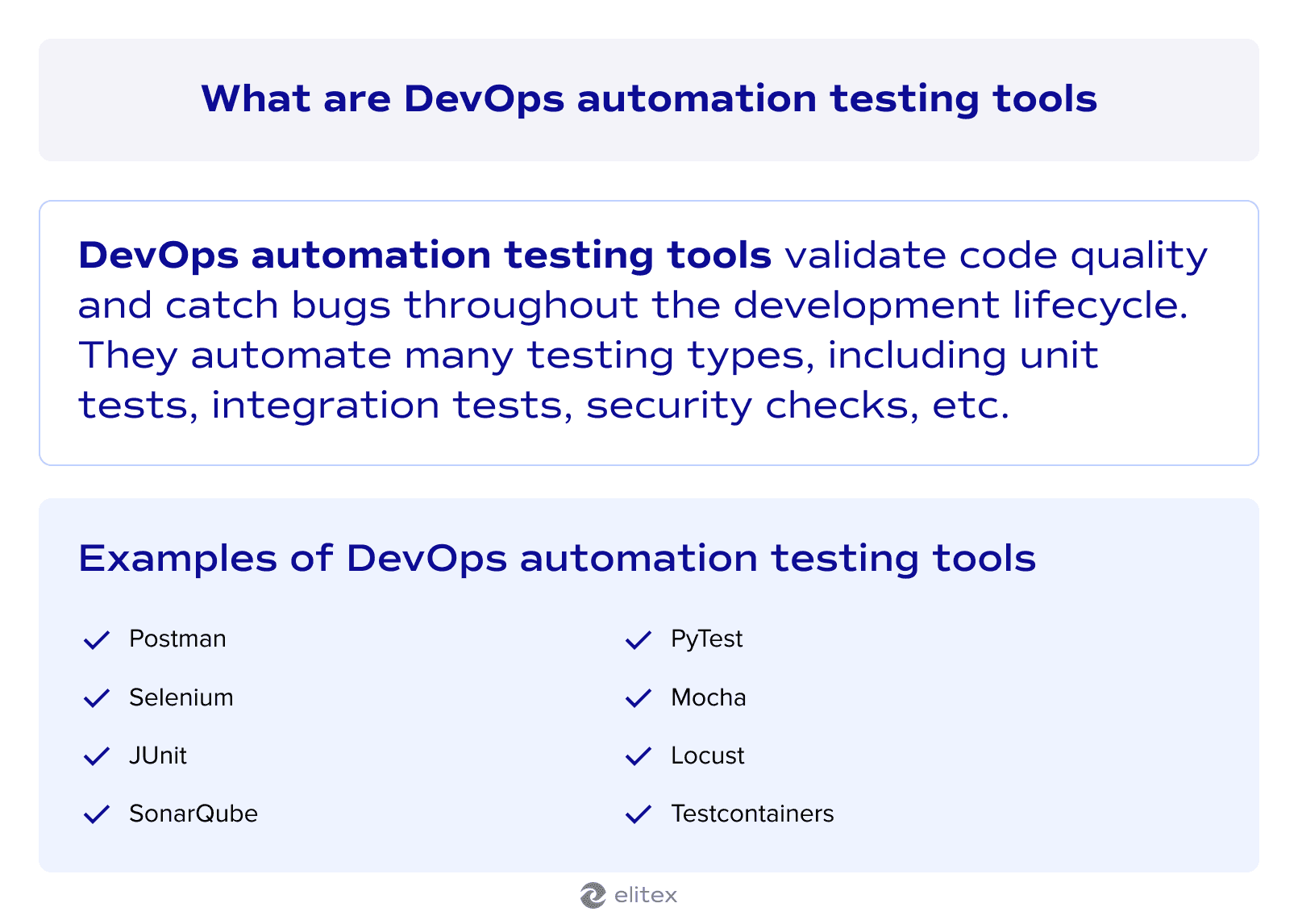
DevOps automated testing tools validate code quality and catch potential issues throughout the entire software development lifecycle. These platforms automate unit tests, integration tests, and security scans to prevent bugs from reaching production. While essential for DevOps pipelines, these tools extend beyond DevOps and are widely used in manual and automated quality assurance for comprehensive testing strategies.
| Tool | Setup complexity | Pricing | Key strengths | Best for |
| Postman | Easy | Free tier, paid plans available | API-first testing, visual interface, collaborative documentation | API testing, microservices validation, backend service reliability |
| Selenium | Moderate | Free open-source (infrastructure costs apply | Cross-browser testing, multi-language support, real browser automation | UI testing, cross-browser compatibility, end-to-end user scenarios. |
Postman
Postman automates API testing and validation with comprehensive request building and response verification capabilities. The platform combines manual API exploration with automated test suites that integrate into the CI/CD pipeline.
Unlike other DevOps testing tools, Postman specializes in API-first development with a visual interface design and collaborative features for API documentation. It’s ideal for DevOps teams managing microservices architectures where API reliability and automated testing are critical for continuous delivery.
Key features:
- Automated API test collections with pre/post-request scripts;
- Environment variables and data-driven testing capabilities;
- Mock servers for API development and testing.
Setup complexity: Easy;
Pricing models: Free tier, team plans, enterprise pricing;
Integration capabilities: CI/CD pipelines (Jenkins, GitHub Actions, GitLab CI), version control systems (Git), monitoring tools, webhook triggers, Newman CLI for headless execution, Slack notifications, Azure DevOps, AWS CodeBuild, Docker containers.
Selenium
Selenium automates web browser testing across multiple programming languages and platforms, enabling comprehensive UI validation in the testing process. Unlike API-focused Postman, Selenium controls real browsers to test user interactions and ensure software quality through end-to-end scenarios. It’s ideal for DevOps teams needing cross-browser compatibility testing and UI automation integration into continuous delivery pipelines.
Key features:
- Cross-browser testing on all major browsers and operating systems;
- Multi-language support (Java, Python, C#, JavaScript, Ruby);
- Parallel test execution via Selenium Grid or cloud platforms;
- Advanced UI automation with complex user interaction simulation
Setup complexity: Moderate;
Pricing models: Free open-source (infrastructure and cloud service costs apply);
Integration capabilities: CI/CD pipelines (Jenkins, GitLab CI, Azure DevOps), cloud testing platforms (BrowserStack, Sauce Labs), test frameworks (TestNG, JUnit, PyTest), version control systems, reporting tools (Allure, ExtentReports), build tools (Maven, Gradle).
DevOps automation tools for configuration management
Configuration management tools automate routine tasks like server setup and software installation across environments. They ensure consistent configurations and eliminate manual errors through desired state definitions. The platforms handle server provisioning, maintenance, compliance enforcement, and configuration drift detection automatically.
| Tool | Setup complexity | Pricing | Key strengths | Best for |
| Chef | Moderate to hard | Free open-source (with enterprise subscription) | Ruby-based flexibility, compliance monitoring, drift detection | Large enterprises needing code-driven configuration with complex compliance |
| etcd | Moderate to hard | Free open-source (with managed services available) | Strong consistency, real-time updates, Kubernetes native | Kubernetes environments requiring distributed coordination |
| Consul | Moderate | Free open-source (with HashiCorp enterprise subscription available | Dynamic service discovery, service mesh integration, mutli-datacenter support | Microservices architecture with multi-datacenter deployments |
Chef
Chef automates configuration management through Ruby-based cookbooks and recipes, providing enterprise-grade IaC capabilities. Unlike YAML-based tools, Chef uses Ruby DSL for programming flexibility and maintains a client-server architecture for centralized management. The platform eliminates performance bottlenecks through idempotent configurations and offers advanced features like compliance monitoring and configuration drift detection. Chef is an ideal choice for large enterprises requiring code-driven configuration management with strong compliance and security integration.
Key features:
- Ruby-based cookbooks and recipes for IaC;
- Continuous compliance monitoring through Chef InSpec;
- Configuration drift detection and correction;
- Cross-platform support for Windows and Linux environments.
Setup complexity: Moderate to hard
Pricing models: Free open-source (Chef Automate enterprise subscription available)
Integration capabilities: Cloud providers (AWS, Azure, GCP), CI/CD pipelines (Jenkins, Azure DevOps), Chef Supermarket for reusable cookbooks, testing frameworks (Test Kitchen, InSpec), DevSecOps tool integration.
Etcd
Etcd is a distributed key-value store that serves as a centralized source of truth for configuration data and cluster state in distributed systems. Unlike traditional configuration management tools that push configurations to nodes, Etcd provides strong consistency through Raft consensus and real-time updates via watch mechanisms. It acts as the backbone for numerous tools in cloud-native environments and is the choice for teams looking to build reliable distributed systems with consistent configuration management. It's ideal for Kubernetes-centric DevOps environments requiring distributed coordination and real-time configuration updates.
Key features:
- Strong consistency through Raft consensus protocol;
- Real-time configuration updates via watch mechanisms;
- High availability with multi-node clustering and failover;
- Mutual TLS security and role-based access control;
- Native Kubernetes integration as a cluster datastore
Setup complexity: Moderate to Hard;
Pricing models: Free open-source (managed services available from cloud providers);
Integration capabilities: Native Kubernetes integration, Spring Cloud Config, CI/CD pipelines, service discovery systems, distributed coordination tools, HTTP/JSON APIs for custom integrations.
Consul
Consul provides dynamic service discovery and real-time configuration management with integrated service mesh capabilities. Unlike static configuration tools, Consul enables applications to react instantly to service and configuration changes through reactive mechanisms. It stands out among top DevOps automation tools by combining service discovery, configuration storage, and secure service communication in one platform. It's ideal for microservices architectures requiring dynamic service coordination and multi-datacenter deployments.
Key features:
- Dynamic service discovery with integrated health checks;
- Real-time centralized key/value configuration store;
- Service mesh with manual TLS and traffic management;
- Multi-datacenter support with independent operation;
- Fine-grained ACLs and identity-based authorization
Setup complexity: Moderate;
Pricing models: Free open-source (HashiCorp enterprise subscription available)
Integration capabilities: Terraform automation, Kubernetes service mesh, multi-cloud environments, microservices architectures, monitoring tools like Prometheus, RESTful APIs, and other configuration management tools like Chef.
DevOps automation tools for monitoring and alerting
DevOps automation tools for monitoring and alerting provide continuous monitoring of the system health and application performance across the entire infrastructure stack. These platforms automatically collect metrics, logs, and traces while sending real-time alerts when predefined thresholds are breached. They integrate seamlessly into the DevOps automation tools chain to enable proactive issue detection and rapid incident response. Modern monitoring solutions eliminate manual oversight by providing automated dashboards and intelligent alerting that reduces false positives.
| Tool | Setup complexity | Pricing | Key strengths | Best for |
| Prometheus | Easy to moderate | Free open-source (managed services available) | Multidimensional data model, PromQL query language, automatic service discovery, native Kubernetes integration | Cloud-native DevOps environments requiring scalable monitoring of microservices and dynamic infrastructure |
| Grafana | Easy to moderate | Free open-source (Grafana Labs enterprise subscription available) | Multi-source data integration, unified dashboards, observability as code, role-based access control | DevOps teams requiring centralized visualization across diverse monitoring tools and data sources |
| Datadog | Easy to moderate | Subscription-based with usage tiers (no free production tier) | Unified observability platform, AI-powered anomaly detection, built-in incident management | Organizations requiring end-to-end visibility across complex, multi-cloud environments without managing monitoring infrastructure |
| PagerDuty | Easy to moderate | Subscription-based tiers (no free production tier, trials available) | Automated incident lifecycle management, multi-channel alerting, on-call scheduling, AI-driven incident triage | Organizations requiring 24/7 operational reliability with automated on-call management and rapid incident response. |
Prometheus
Prometheus provides open-source monitoring and alerting with a multi-dimensional data model and powerful PromQL query language. The platform automatically discovers services in dynamic environments and stores metrics as time series with flexible labels for detailed analysis.
Unlike proprietary monitoring tools, Prometheus offers vendor-neutral monitoring with native Kubernetes integration and efficient time-series storage. It combines comprehensive metric collection with sophisticated alerting through Alertmanager for issue tracking and incident management. It’s ideal for cloud-native DevOps environments requiring scalable monitoring of microservices and dynamic infrastructure.
Key features:
- Multi-dimensional time-series data model with level-based metrics;
- PromQL query language for complex aggregations and analysis;
- Automatic service discovery for Kubernetes and cloud platforms;
- Alertmanager for alert routing, deduplication, and notifications;
- Wide ecosystem of exporters for diverse system monitoring;
- Native Kubernetes integration via Prometheus Operator
Setup complexity: Easy to moderate;
Pricing models: Free open-source (managed services available from vendors);
Integration capabilities: Native Kubernetes integration, Grafana dashboards, cloud platforms (AWS, GCP, Azure), CI/CD pipelines, alerting tools (PagerDuty, Slack, Opsgenie), extensive exporter ecosystem, REST APIs for custom instrumentation.
Grafana
Grafana provides comprehensive data visualization and alerting for monitoring infrastructure and applications across multiple data sources. Unlike single-purpose monitoring tools, Grafana consolidates metrics, logs, and traces from virtual machines, containers, and cloud services into unified dashboards with real-time insights. The platform enables observability as code with version-controlled dashboards and supports collaborative troubleshooting through annotations and sharing. It's ideal for DevOps teams requiring centralized visualization across diverse monitoring tools and data sources.
Key features:
- Multi-source data integration with customizable visualizations;
- Unified dashboards for metrics, logs, and distributed traces;
- Flexible alerting with multi-channel notifications;
- Observability as code with version-controlled configurations;
- Role-based access control and team collaboration features
Setup complexity: Easy to moderate
Pricing models: Free open-source (Grafana Labs enterprise subscription available)
Integration capabilities: Prometheus, InfluxDB, Elasticsearch, Loki, Tempo, cloud monitoring APIs (AWS, Azure, GCP), CI/CD pipelines, incident management tools (PagerDuty, Slack), Kubernetes operators, REST APIs, and plugin ecosystem.
Datadog
Datadog provides cloud-based unified observability, combining metrics, traces, logs, and security data in a single SaaS platform. Unlike other automation tools for DevOps that require infrastructure management, Datadog eliminates backend maintenance through its cloud-native architecture and AI-powered anomaly detection via Watchdog. The platform offers comprehensive incident management with built-in tracking and automated root cause analysis. It's ideal for organizations requiring end-to-end visibility across complex, multi-cloud environments without managing monitoring infrastructure.
Key features:
- Unified observability platform with metrics, traces, logs, and security;
- AI-powered anomaly detection and automated root cause analysis;
- Built-in incident management with downtime scheduling;
- Service level objectives (SLOs) and distributed tracing capabilities
Setup complexity: Easy to moderate;
Pricing models: Subscription-based with usage tiers (no free production tier);
Integration capabilities: Multi-cloud platforms (AWS, Azure, GCP), CI/CD pipelines, Kubernetes, 500+ pre-built integrations, incident management tools (PagerDuty, Slack), APIs and SDKs, configuration management tools.
PagerDuty
PagerDuty specializes in incident management and intelligent alerting, orchestrating the complete incident lifecycle from detection through resolution. Unlike pure monitoring tools, PagerDuty focuses on automated incident response with multi-channel notifications, escalation policies, and team coordination. The platform integrates with existing monitoring systems to centralize alert management and automate remediation workflows. It's ideal for organizations requiring 24/7 operational reliability with automated on-call management and rapid incident response.
Key features:
- Automated incident creation and lifecycle management;
- Multi-channel alerting with intelligent escalation policies;
- On-call scheduling and rotation automation;
- AI-driven incident triage and automated remediation workflows.
Setup complexity: Easy to moderate;
Pricing models: Subscription-based tiers (no free production tier, trials available);
Integration capabilities: Monitoring tools (Prometheus, Datadog, New Relic), collaboration platforms, and many others.
Selection criteria for choosing the best DevOps automation tools
We should clarify one nuance: most of the popular DevOps automation tools combine together seamlessly across categories, creating flexible and versatile DevOps automation ecosystems. Even within a single category, you can easily use multiple tools. For instance, you might use both Jenkins and GitHub Actions for different pipeline needs. Or pair Terraform with Ansible for complete infrastructure management. This compatibility allows experienced DevOps specialists to build custom toolchains that match specific development workflows.
We hope that our DevOps automation tools comparison helps you understand that the right choice starts with your existing tech stack, project scale, and cloud strategy. Teams using AWS benefit from native integrations like ECS and CloudFormation. Multi-cloud environments favor vendor-neutral options like Kubernetes and Terraform. Budget, team expertise, and compliance requirements further narrow choices. Startups often choose GitHub Actions and Cloud Run for simplicity. Enterprises may need Jenkins and Kubernetes for complex workflows. So, there is no one-size-fits-all solution, and the exact choice will always depend on your particular situation and exact DevOps automation service you're looking for.
Here are 3 simple examples of the tech stacks based on project size:
Small project (startup web app)
- Frontend: React with Vercel deployment;
- Backend: Node.js API on Google Cloud Run;
- Database: PostgreSQL on Google Cloud SQL
- DevOps tools: GitHub Actions (CI/CD), Terraform (infrastructure), Prometheus + Grafana (monitoring)
Medium project (e-commerce platform)
- Frontend: Vue.js with Nginx reverse proxy;
- Backend: Python Django on Kubernetes (GKE);
- Database: PostgreSQL primary, Redis cache;
- DevOps tools: GitLab CI/CD, Helm (continuous deployment), Ansible (configuration), Datadog (monitoring), ArgoCD (GitOps)
Large project (financial services platform)
- Frontend: Micro-frontend architecture based on React/Angular;
- Backend: Java Spring microservices on AWS EKS;
- Database: Aurora PostgreSQL, DynamoDB, ElastiCache;
- DevOps tools: Jenkins (CI/CD), Terraform + Terragrunt (infrastructure), Istion (service mech), Chef (configuration), Prometheus + Grafana (monitoring), PagerDuty (alerting).
Also read our top 10 DevOps automation companies in the USA in 2026.
Looking for the best automation tools for your project?
At ELITEX, we know that choosing the right DevOps automation tools for your next project presents real challenges. Technical requirements, budget constraints, and team expertise all factor into decisions that impact long-term success.
ELITEX bring a decade of hands-on experience helping organizations build flawless DevOps processes. Our team has implemented DevOps services and automation solutions across industries, from startup MVPs to enterprise-scale deployments. We understand which tools work together, where hidden costs emerge, and how to avoid common integration pitfalls. So, when you are struggling with choosing an ideal tech stack and DevOps tools for your projects, don’t hesitate to contact ELITEX, a trusted DevOps solutions provider for businesses around the globe.
Ready to build your ideal DevOps stack? Contact ELITEX today and receive a consultation from our automation experts for free!
FAQs
What are DevOps automation tools?
DevOps automation tools are software solutions that eliminate manual tasks in software development and deployment. They automate code integration, testing, infrastructure provisioning, monitoring, and alerting with minimal human intervention.
What are the most essential automation tools in DevOps?
Essential automation tools in DevOps span seven categories: CI/CD tools (GitHub Actions, Jenkins), IaC (Terraform/Terragrunt, Ansible), container orchestration (Kubernetes, AWS ECS, Helm), testing automation (Selenium, Postman), configuration management (Chef, Consul), and monitoring (Prometheus, Grafana, Datadog). Teams typically start with CI/CD and monitoring, then add infrastructure automation as they scale.
What is the actual DevOps automation tools list in 2025?
The list of DevOps automation tools in 2025 includes: Gitlab CI/CD, GitHub actions, Jenkins, CircleCI, ArgoCD, Helm, Terraform/Terragrunt, AWS CloudFormation, Ansible, Kubernetes EKS/GKE), AWS ECS/Fargae, Google Cloud Run, Istio, cert-manager, JUnit, PyTest, Mocha, Selenium, Postman, Locust, SonarQube, Testcontainers, Puppet, Chef, etcd, Consul, Zookeeper, Vault, Prometheus, Grafana, Uptime, Datadog, FluentBit, Elasticsearch, Kibana, Sentry, PagerDuty, Snyk, Dependabot, Istio, AWS Security Hub.
How do I choose the right DevOps automation tools for my project?
Choose based on your tech stack, cloud provider, and project scale. AWS teams benefit from ECS and CloudFormation. Multi-cloud environments prefer Kubernetes and Terraform. Start with CI/CD and monitoring, then add complexity.
Can I use multiple DevOps automation tools together?
Yes, most DevOps automation tools integrate seamlessly across categories. You can even combine several tools inside of a single category: e.g., combining Jenkins with GitHub Actions for different pipelines, or pair Terraform with Ansible for complete infrastructure management.
POSTED IN: