



- SUMMARY: An automated DevOps pipeline is a workflow that handles every step of the software development process from code commit to deployment and monitoring, eliminating manual intervention wherever possible;
- This automation dramatically speeds up software delivery, increases code quality, and reduces the costs of development;
- The pipeline typically flows through six core stages: code commit, build & compile, automated testing, security scanning, staging deployment, and production release;
- Beyond the pipeline stages, you need essential components, including version control systems, build engines, testing suites, artifact repositories, deployment managers, and monitoring infrastructure;
- In this article, we provide real-world case studies where we explain the transformation and benefits of implementing an automated DevOps pipeline in measurable terms;
- Additionally, we write a step-by-step implementation guide and mention the industry best practices to build your own automation pipeline from scratch.
Traditional software development directly from the aughties relied on manual deployment processes that developers dreaded. Because of this approach, teams spent entire weekends coordinating releases and fixing broken configurations. Due to these manual steps, errors crept into prod systems regularly. However, we are not in the aughties anymore, and there is one simple solution that can eliminate these deployment headaches completely: automated DevOps pipelines.
DevOps pipelines handle every step of the release process from code commit to production deployment. They eliminate human intervention from the process wherever it’s possible. As a result, development teams deploy code multiple times per day instead of once per month. Due to this automation, weekend deployment marathons become a thing of the past. And in 2026, we face quite a straightforward situation: modern companies with automated DevOps pipelines ship features while their competitors without automated pipelines still plan releases.
ELITEX deliver DevOps automation services and solutions that have rescued dozens of companies across multiple industries from deployment chaos. We’ve watched an eCommerce startup from zero to dozens of thousands of visitors per day. With our help, insurtech giants now process requests from thousands of clinics per day without breaking a sweat. Because of this track record, we understand exactly which obstacles derail a DevOps transformation. What’s important, in every DevOps success story we’ve experienced, building an automated DevOps pipeline was always a principal step. That’s why today, we would like to tell you about it in a bit more detail. And here is what we have to say about it:
Why automate your DevOps pipeline?
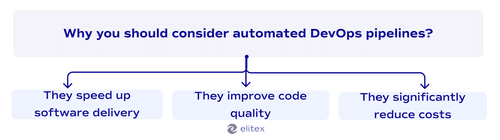
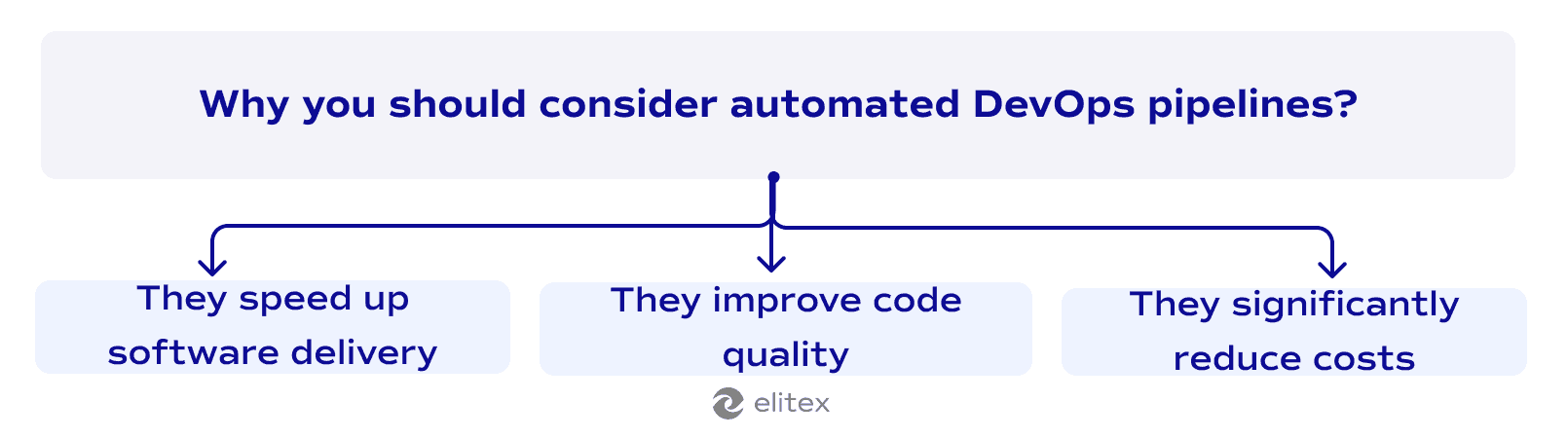
It speeds up your software delivery
Manual deployments typically take hours or even days to complete. Developers wait for approvals while code sits in queues. An automated pipeline cuts this time dramatically. DORA research found that teams with a properly adopted automation DevOps pipeline release 208 times more frequently and 106 times faster than low-performing teams without DevOps. With the adoption of best DevOps practices, your software delivery becomes predictable and fast. Just as said before, it leads to the result when your teams push updates multiple times per day instead of weekly marathons.
It improves code quality
Automation transforms quality control by catching errors before they reach production. Human errors slip through manual testing processes. Automated tests (an essential part of pipeline automation) run with every, even the smallest, release. These automated tests catch bugs before code reaches production servers. Research by Gartner states that 90% of respondents reported that automation of application deployment has provided value in terms of the quality of the product. Eventually, code quality improves because machines don’t get tired or skip steps throughout the quality control.
It reduces costs across your software lifecycle
Manual deployments require expensive engineering time during weekends and evenings. Entire teams spend hours on repetitive tasks instead of building features. Automation handles these tasks while developers sleep. Gartner predicts organizations will lower operational costs by 30% by combining hyperautomation technologies with redesigned operational processes. Deloitte’s research shows their DevOps platform can help companies reduce spend by as much as 30% and optimize engineering bandwidth by up to 65%. One of the principal DevOps benefits, cost reduction, eventually transforms the entire lifecycle because human resources now focus on creative problem-solving instead of manual work (e.g., infrastructure costs).
How does an automated DevOps pipeline look like?
Here’s a basic diagram of a simplified DevOps pipeline (the actual look of the pipeline will significantly depend on your specific requirements and processes).
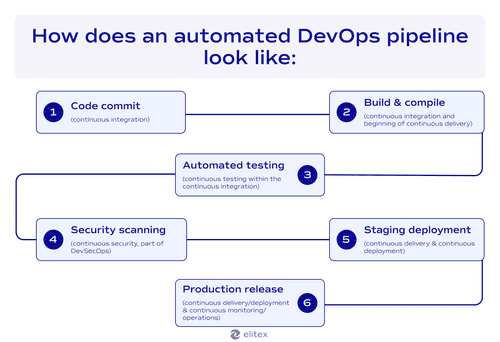
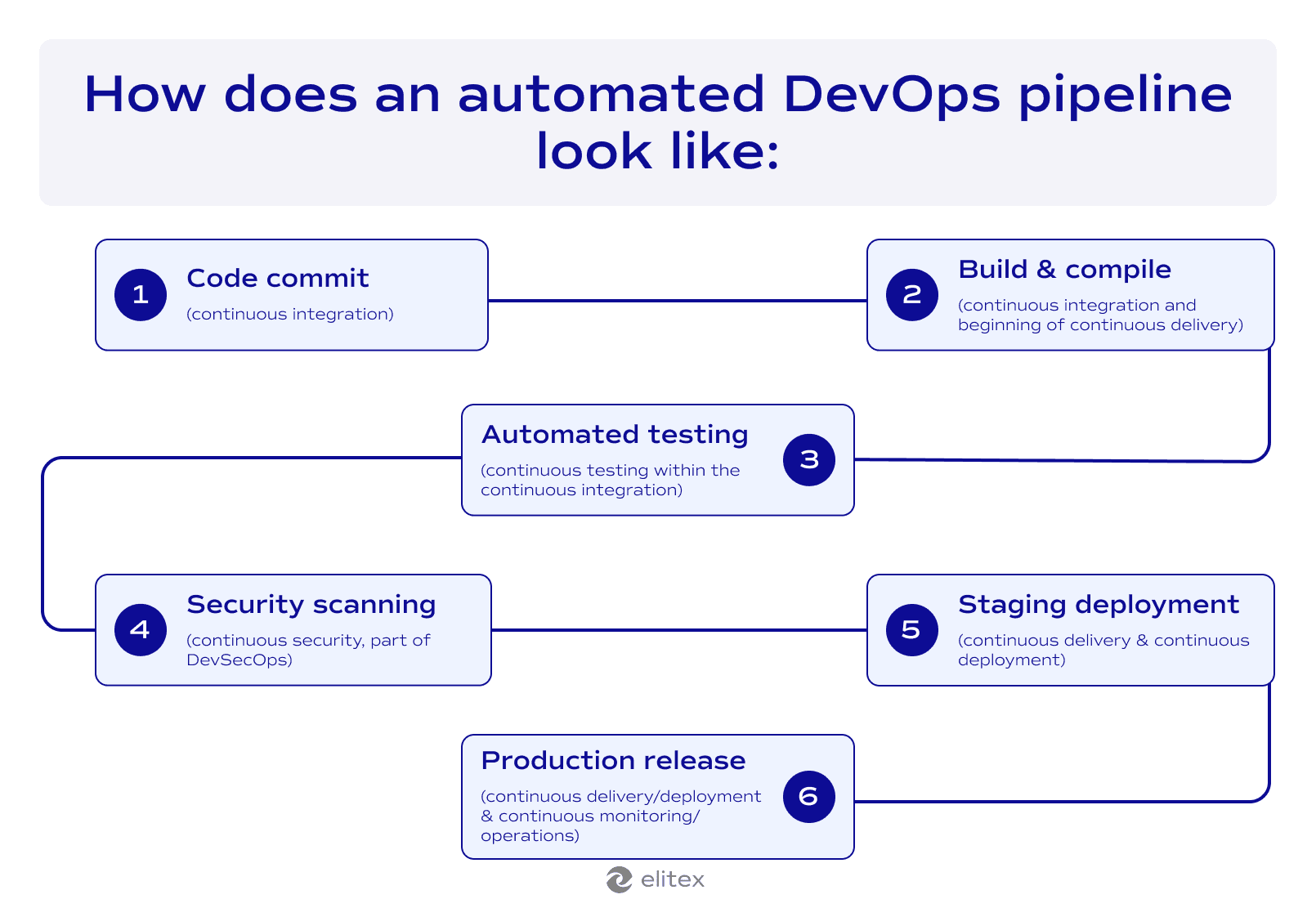
DevOps pipeline stages:
- Code commit: First, a developer pushes code changes to the Git repository. This action automatically triggers the entire pipeline, starting the continuous integration process without any manual intervention.
- Build & compile: Then, the system compiles the source code, resolves all dependencies, and packages everything in deployable artifacts. This step ensures the code can run properly in different environments.
- Automated testing: After that, the pipeline runs comprehensive automated tests, including unit tests, integration tests, and functional tests. DevOps test automation validates that the new code works correctly and doesn’t break existing functionality.
- Security scanning: Next, security tools perform vulnerability scans, check dependencies for known issues, analyze code for potential security flaws, and scan for exposed secrets or credentials. This step catches security problems before they reach production.
- Staging deployment: Following successful security checks, the system automatically deploys the application to a staging environment that mirrors production. Here, final validation and user acceptance testing occur to ensure everything works as expected.
- Production release: Finally, once staging tests pass, the pipeline deploys to production with built-in rollback capabilities, health checks, and monitoring alerts. This ensures a smooth release with immediate feedback on system performance.
Each step flows seamlessly into the next, creating a fully automated path from code to production.
Key components of an automated DevOps pipeline
Now, after we see how automated DevOps pipelines work, let’s see what components stand behind this sequence.
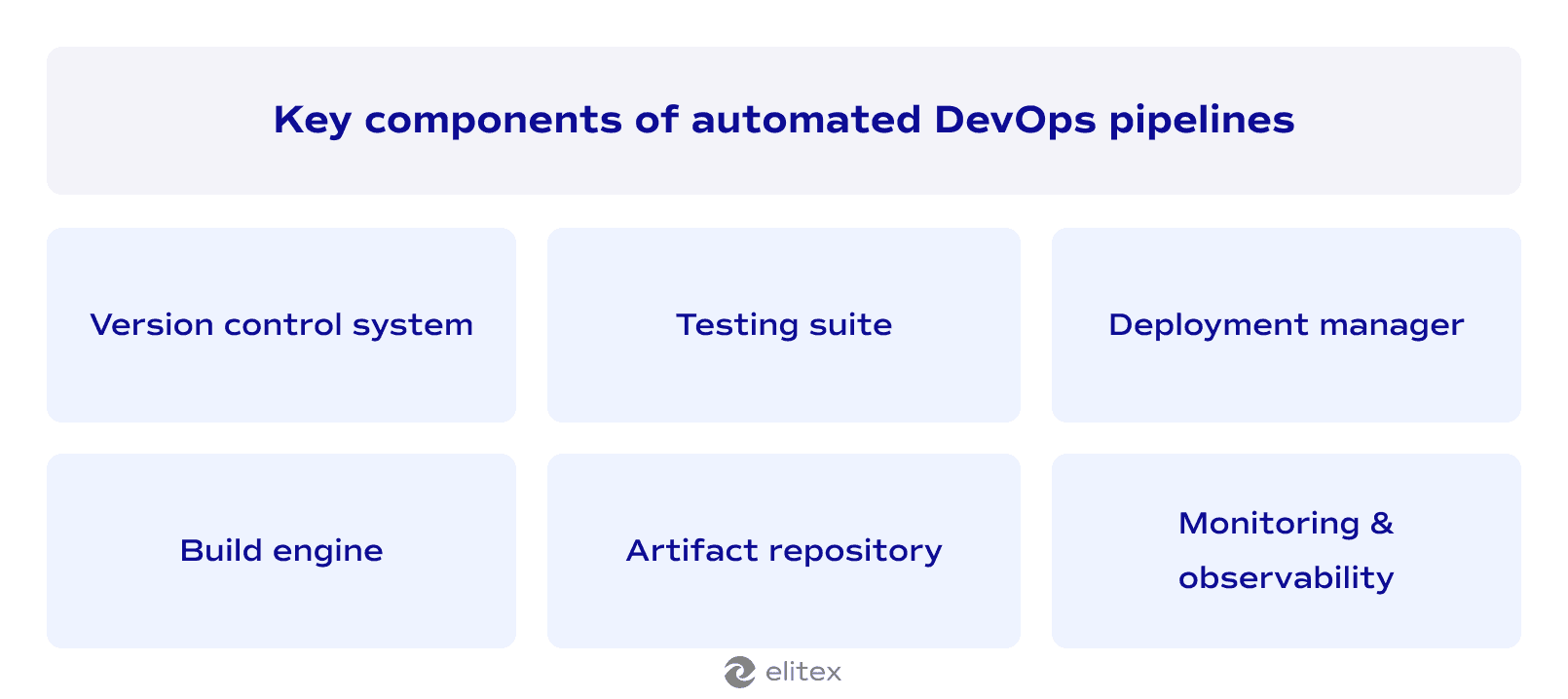
Version control system
As we described in the pipeline stages, everything starts when developers push code changes to Git repositories. Version control systems are what trigger the entire CI/CD pipeline automatically.
Take this into account! There is a slight difference between a CI/CD pipeline and an automated DevOps pipeline. A CI/CD pipeline is the core build-test-deploy automation workflow, while an automated DevOps pipeline includes CI/CD plus broader automation like infrastructure provisioning, security scanning, monitoring, configuration management, and compliance enforcement.
Continuous integration begins here because code commits immediately start automated build and test cycles, connecting development work to automated processes.
Build engine
The build server compiles source code and resolves dependencies automatically. This component handles the “build & compile” step we outlined earlier. Automated processes package applications for deployment across different environments without manual intervention.
Testing suite
Any automated testing requires a proper testing suite. The more areas you can cover with automated testing, the better. Beyond the aforementioned unit tests, integration tests, and functional tests, experienced DevOps teams implement regression tests and performance tests (which we will separately mention later).
Artifact repository
This centralized storage maintains build outputs and deployment packages created during CI/CD pipeline execution. With this repository, teams can track versions consistently across environments. The repository integrates with various continuous delivery tools to enable automated software delivery that replaces manual coordination.
Deployment manager
This component handles the staging and production deployment steps outlined earlier. It coordinates continuous delivery by managing environment provisioning automatically. The deployment manager supports the smooth releases that give teams immediate feedback on system performance, replacing broken configurations that plagued manual processes.
Monitoring & observability
DevOps observability provides the comprehensive visibility needed for production environment management. This component implements continuous monitoring that tracks the system performance we mentioned in the final step of the diagram. Real-time insights help teams identify issues quickly and maintain the reliability that the automated processes deliver.
The monitoring component ensures the reliability of DevOps delivery pipelines. It is done through automated performance tests, core software vitals tracking, and alerting. When issues occur in the product environment, observability tools help development and operations teams respond faster than manual processes ever could.
Another crucial component: Tools for automated DevOps pipelines
There is another crucial nuance for creating a successful automation pipeline in DevOps: special automation tools. This topic spans such a vast landscape that we’ve dedicated an entire comprehensive guide to DevOps automation tools, covering the selection process and detailed comparison of several dozen most useful tools, as well as their scope of use.
These fools fall into six core categories:
- Platforms for CI/CD pipeline automation, such as GitLab CI/CD, GitHub Actions, Jenkins, and CircleCI;
- Infrastructure as Code solutions, including Terraform, AWS CloudFormation, and Ansible;
- Container orchestration with Kubernetes, AWS ECS, and Google Cloud Run;
- Testing frameworks such as Selenium, Postman, and SonarQube;
- Configuration management tools like Chef, Consul, and Vault;
- Monitoring tools, including Prometheus, Grafana, DataDog, and PagerDuty.
How to build an automated DevOps pipeline: Step-by-step guide
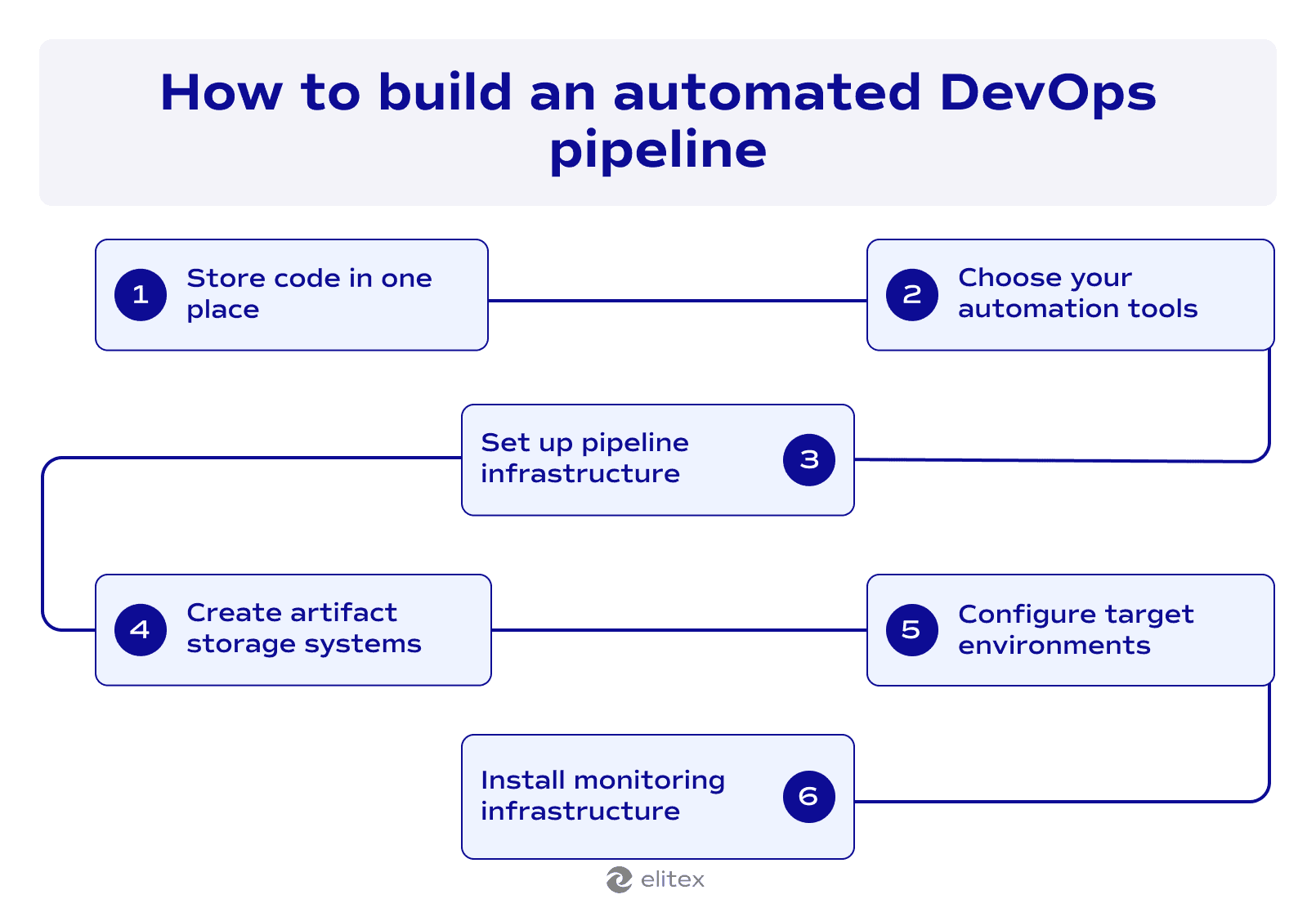
- Design a system where all code is in one place: Keep all your software code in a specified central location where your entire team can access and track changes.
- Choose your automation tools: Pick software that automatically handles repetitive tasks. It is an important step, as this decision affects your entire software delivery process. Consider your team size, budget, and technical needs when choosing the proper tools. Remember that the right platform grows with your business and integrates well with the tools you already use. Read more in our dedicated article about DevOps automation tools.
- Set up pipeline infrastructure: Install and configure the servers and computing resources needed to run your automation workflows.
- Create artifact storage systems: Build centralized storage that holds your compiled software packages and deployment files. This eliminates manual file management and ensures every team member accesses the same versions. Proper artifact storage prevents deployment failures by missing or outdated files, saving hours of troubleshooting time.
- Configure target environments: Set up staging and production servers where your software will actually run for customers.
- Install monitoring infrastructure: Deploy tracking systems that watch your application and infrastructure performance. Without these systems in place, problems can persist undetected, causing expensive outages and frustrated users.
Best practices for DevOps pipeline automation
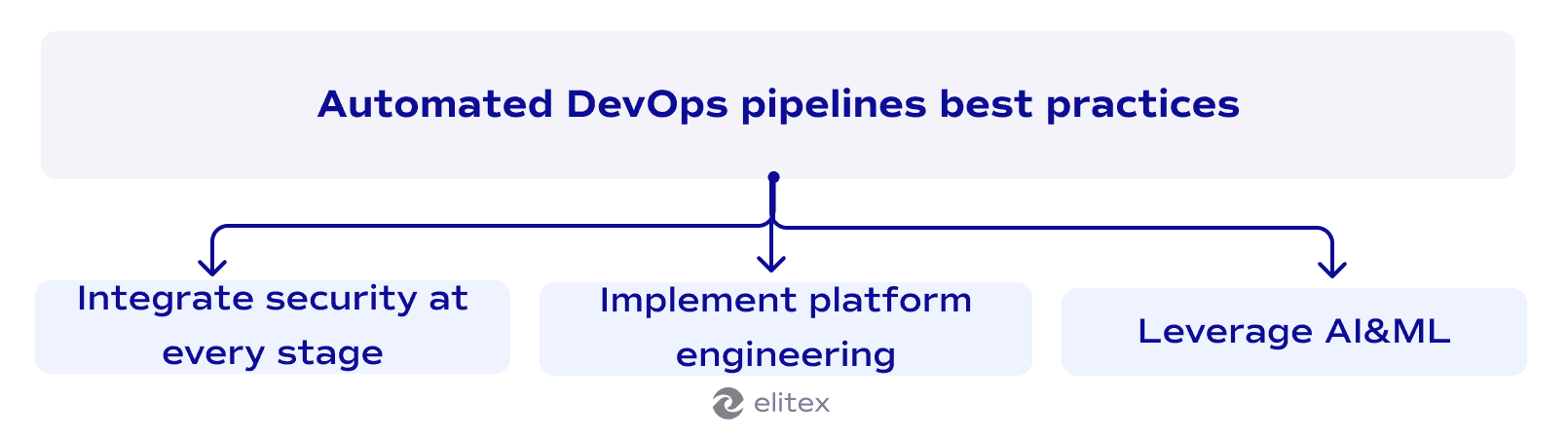
Integrate security at every stage
Security should be embedded throughout your automated pipeline, not added as an afterthought. DevOps pipeline best practices require implementing automated security scanning, vulnerability detection, compliance checks, and threat modeling at each step. This approach, known as DevSecOps, transforms security from a bottleneck into an enabler of faster delivery. We’ve previously explored differences between DevOps without security and DevSecOps in our DevOps vs DevSecOps comparison.
Implement platform engineering for self-service capabilities
According to Gartner’s 2024 Magic Quadrant for DevOps platforms, “Platform engineering is emerging as a critical discipline within DevOps. Internal developer platforms (IDPs) allow organizations to create self-service environments where developers can access the necessary tools and infrastructure without relying on centralized IT teams.” This practice for DevOps pipelines reduces bottlenecks by enabling developers to provision resources, deploy applications, manage environments, and access documentation independently while maintaining governance and consistency.
Leverage AI-powered automation for intelligent operations
One of the latest DevOps trends points toward as much AI and machine learning integration as possible. AI-based tools are already used for predictive analytics, automated testing optimization, intelligent incident response, and resource forecasting, and soon we’ll likely see dedicated AI tools covering all stages of the DevOps pipeline.
In 2026, AI enhances DevOps pipeline automation by detecting anomalies, optimizing resource allocation, predicting failure patterns, and automating remediation workflows before they impact production. Machine learning transforms DevOps from reactive troubleshooting to predictive problem-solving. Algorithms learn from deployment histories to predict failures before they happen. Smart systems automatically adjust test coverage based on code complexity while scaling infrastructure ahead of traffic spikes. When incidents occur, AI correlates alerts across systems to identify root causes instantly. Automated remediation scripts execute based on patterns learned from previous fixes. This intelligence reduces manual intervention while improving system reliability.
Also, learn how DevOps is implemented in AI&ML projects in our MLOps vs DevOps comparison.
Automated DevOps pipeline examples & case studies
We have previously explored real-world implementation of automated pipelines in our dedicated DevOps examples article. Here is the brief overview of our two latest case studies:
Science publishing platform automation
STM operates as an association of 145 publishers across 17 countries, developing the STM Integrity Hub to screen academic manuscripts for research integrity violations. ELITEX implemented automated security pipelines using Datadog monitoring that eliminated manual deployment risks while detecting threats before escalation. The team built AWS infrastructure with Lambda, DynamoDB, and OpenSearch services, combined with an automated deployment pipeline for scalable manuscript processing.
The result: Cross-cloud authentication between Azure users and AWS services removed human involvement from error-prone processes. STM has achieved zero production errors since the automation implementation. The platform eliminated downtime costs through instant alert systems while maintaining secure handling of sensitive academic data across multi-cloud environments.
Healthcare AI startup transformation
Standard Practice develops software that automates insurance verification calls for medical clinics, eliminating hours of manual phone work for healthcare staff. The platform needed security improvements for database access controls and deployment processes to meet HIPAA compliance standards. ELITEX implemented automated DevOps pipelines across development, staging, and production environments while migrating services to AWS ECS with Docker containers. The team configured load balancers with auto-scaling based on actual demand patterns and applied security hardening measures following HIPAA compliance protocols.
The result: The startup achieved dramatically faster deployment speeds while enhancing customer trust through improved security. The platform now delivers reliable service with 99.9% uptime through automated scaling and reduced infrastructure costs via resource-based pricing instead of fixed instance fees.
Also read our article about top 10 DevOps automation companies in the USA in 2026
Why choose ELITEX as a DevOps partner for automated pipeline building?
ELITEX bring a decade of proven DevOps expertise to software development projects across diverse industries. In our solutions, we prioritize cost-effectiveness through an optimized development process while maintaining exceptional quality standards. Our transparent communication approach eliminates bureaucratic layers and keeps you informed at every project stage. Businesses choose us for honest, direct collaboration that focuses on delivering measurable results.
Our technical prowess spans multiple industries and company sizes. We worked with both small startups at the very beginning of their paths and Fortune 500/Fortune Global 500 giants. We’ve successfully implemented automated pipelines across diverse sectors. Our expertise includes providing DevOps automation services for AI SaaS solutions, healthcare companies, scientific publishing systems, fintech banking apps, e-commerce subscription services, and many more. Whether you need DevOps infrastructure automation, CI/CD implementation, strategic DevOps consulting, or complete end-to-end pipeline automation, ELITEX have what to offer. We build automations that scale with your business growth!


FAQs
What is a pipeline in DevOps?
A pipeline in DevOps is an automated workflow that moves code from development to production through predefined stages like building, testing, and deployment. This automation eliminates manual processes and ensures consistent and reliable software delivery.
What is a DevOps pipeline, and how does it differ from a CI/CD pipeline?
A DevOps pipeline encompasses the entire software delivery lifecycle, including CI/CD pipeline stages (code commit, build, testing, security scanning, staging deployment, and production release) plus infrastructure provisioning, monitoring, configuration management, and compliance enforcement. CI/CD pipeline focuses specifically on the core build-test-deploy workflow.
What does a pipeline in DevOps automate?
A pipeline in DevOps automates code integration, testing, security scanning, deployment, and monitoring processes.
What are the benefits of DevOps automated deployment?
DevOps automated deployment reduces deployment time from hours to minutes, eliminates weekend deployment marathons, and prevents human errors that cause production failures. It enables consistent releases with automatic rollback capabilities and built-in monitoring.
How to build a DevOps pipeline?
Start by centralizing your code, choose automation tools, set up pipeline infrastructure, create artifact storage, configure target environments, and install monitoring. The key is beginning with simple automation and gradually adding complexity as your team gains experience.
POSTED IN: