



- TL;DR: In this article, we talk about secure DevOps automation and how it differs from traditional security approaches that treat security as a late-stage gate.
- CAMS and SRE form the cultural and operational foundation that makes security automation sustainable under real delivery pressure.
- We walk through a six-step pipeline security model, from securing source code at commit to closing feedback loops in production.
- Additionally, we cover best practices, common pitfalls, and specific tooling recommendations based on our cross-industry experience.
Security conversations in DevOps usually start after something breaks. A leaked secret triggers an incident review, or another compliance audit catches the team off guard. Secure DevOps automation is built to reverse this pattern by making security checks a native part of every build and deployment, surfacing vulnerabilities while they're still cheap to fix.
At ELITEX, we've spent nearly a decade delivering DevOps automation services across hospitality, healthcare, fintech, ecommerce, publishing, and other industries. That cross-industry experience taught us where automation catches real threats and where it creates false confidence. So we wrote this guide to share with you what actually works based on field experience.
What is secure DevOps (and why “bolting on” security fails)
Secure DevOps is a discipline of embedding security controls into every phase of the software development lifecycle. The goal is straightforward: catch vulnerabilities inside the CI/CD pipeline before they reach production, where remediation costs spike.
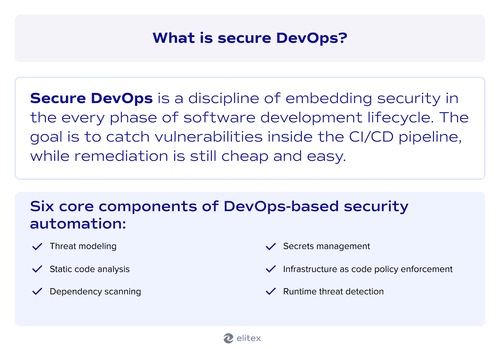
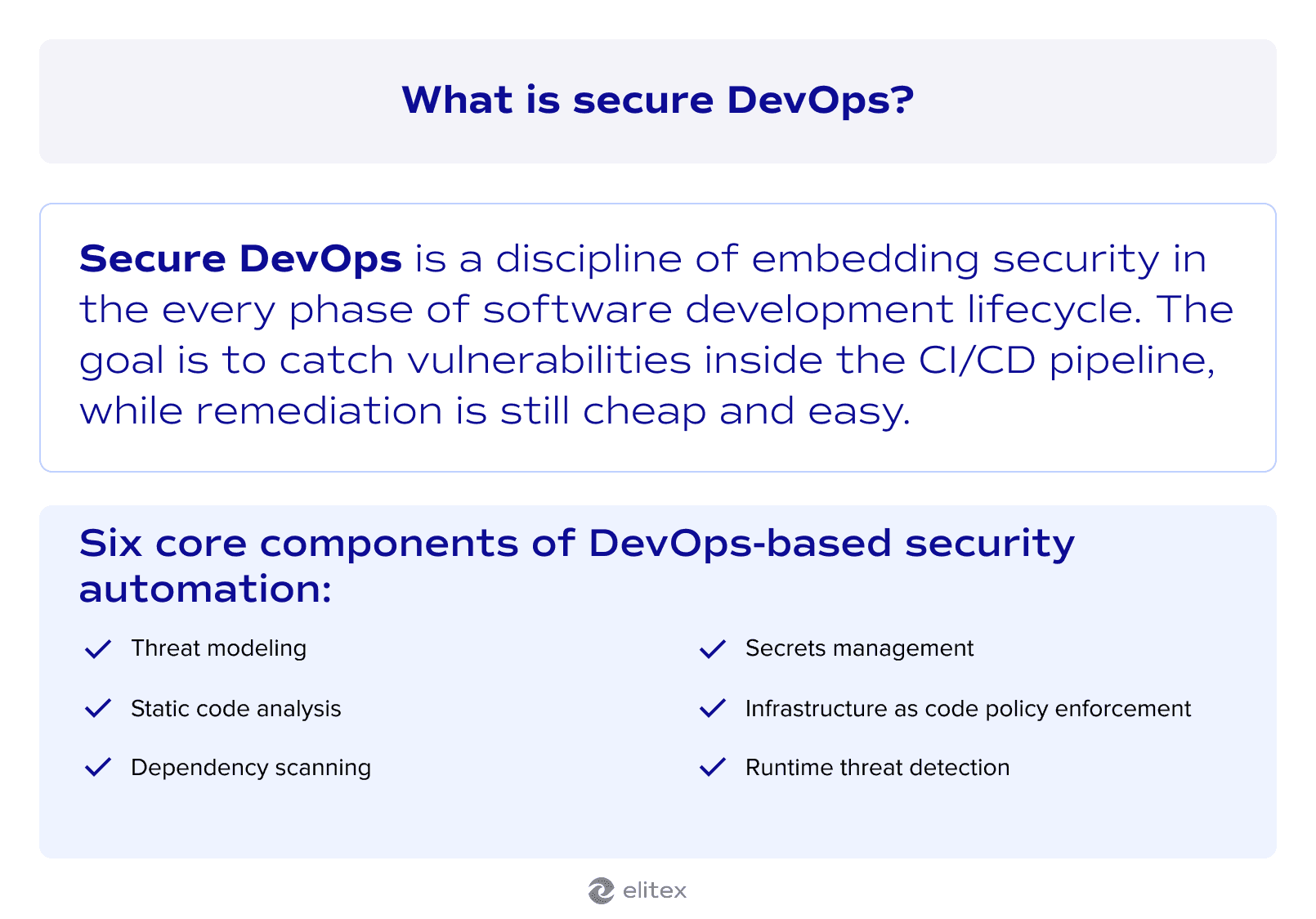
Six core components make secure DevOps automation work:
- Threat modeling
- Static code analysis (SAST)
- Dependency scanning (SCA)
- Secrets management
- Infrastructure-as-code policy enforcement
- Runtime threat detection
Listing components is the easy part. Making them work together across teams raises harder questions:
- Who owns the security findings that surface during a build?
- When should a security gate block a deployment or flag a warning?
- How do developers receive actionable feedback without waiting for a separate security review?
- What's the escalation path when a critical vulnerability appears mid-release?
Those questions point to a broader discipline. Secure DevOps gives you the automation layer, but you also need a model for integrating security into how teams think and operate. That model is DevSecOps.
DevSecOps is a framework that distributes security responsibility to every team involved in building and running software. You can read more about it in our DevOps vs. DevSecOps comparison. Traditional security solutions sit at the perimeter or at the end of a release cycle. The general idea of DevSecOps is simple: DevSecOps moves that ownership upstream, so every contributor who touches code or infrastructure also owns a piece of the security posture.
The connection between the two is direct. Secure DevOps provides the automated checks embedded in your CI/CD pipeline, while DevSecOps provides the culture and accountability structures that turn those findings into action.
The cloud-native imperative: Why traditional security models break down
Traditional security models were designed for static environments: fixed servers, predictable network boundaries, and long release cycles that gave security teams weeks to review changes. Cloud-native DevOps, which became a default option for any secure DevOps implementation, operates on a completely different set of assumptions. Containers spin up and terminate in seconds. Microservices communicate across hundreds of internal API endpoints. Serverless functions execute without any persistent infrastructure to monitor.
That level of ephemerality makes perimeter-based security irrelevant because there is no stable perimeter to defend. Your DevOps strategy needs to account for the fact that the attack surface changes with every deployment, every autoscaling event, and every new service mesh route. So the security model has to move at the same speed as the infrastructure, which means embedding it directly into the orchestration layer rather than bolting it on from the outside.
CAMS in DevOps: The cultural foundation of secure DevSecOps
Before talking about tools or CI/CD pipelines, it helps to look at the framework that holds secure DevOps automation elements together. The CAMS principle stands for Culture, Automation, Measurement, and Sharing. John Willis and Damon Edwards introduced it in 2010 as a way to describe what makes DevOps work beyond the toolchain. For DevSecOps automation, CAMS provides the structural backbone that determines whether security practices stick or slowly erode under delivery pressure.
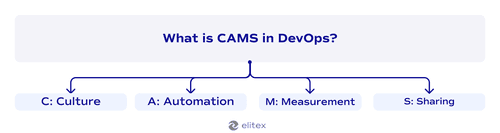
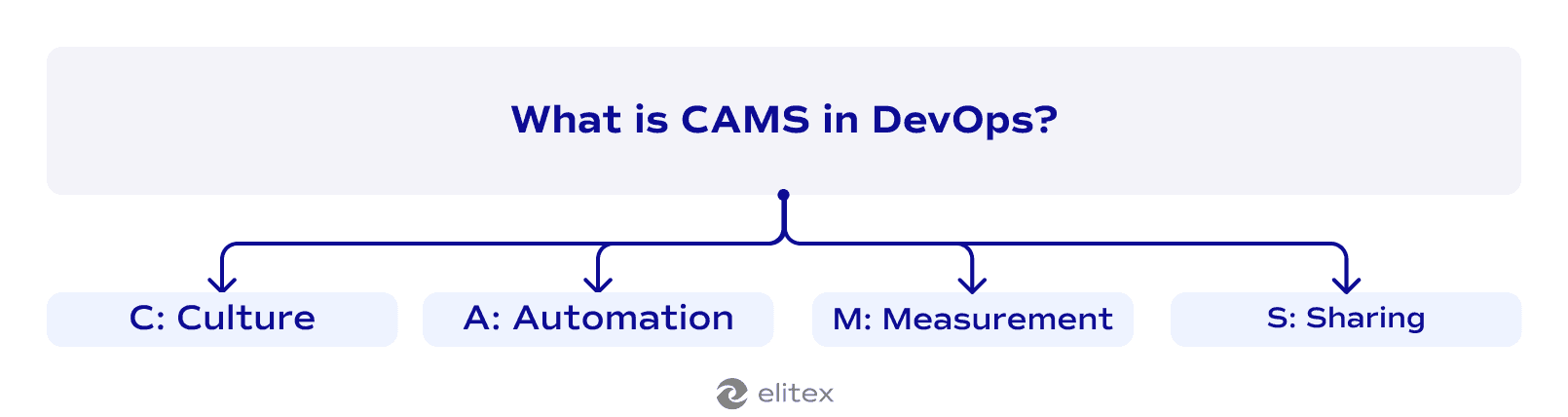
C: Culture
Security culture starts with how your team responds when a vulnerability appears mid-sprint. If developers treat security findings as somebody else's problem, no amount of automation will close that gap. Building a security-first mindset means giving every engineer direct visibility into the risk their code introduces. That ownership changes behavior faster than any policy document.
A: Automation
Automation in the CAMS model goes beyond running a scanner in your CI/CD pipelines. The real value shows up when security checks trigger the same way tests do: automatically, on every commit, with clear pass/fail criteria. That consistency matters because manual security reviews create bottlenecks in continuous delivery workflows. Security check automation shrinks the feedback loop from days to minutes, so developers see findings while the code is still fresh in their heads.
M: Measurement
You can't improve a security posture you're not tracking. Security monitoring gives you raw signals, but exact DevOps metrics turn those signals into decisions. How many critical vulnerabilities survived past the build stage last quarter? What percentage of deployments passed every automated gate on the first attempt? Those numbers reveal whether your software development process is getting more secure over time or just generating more alerts.
S: Sharing
When one team discovers a misconfigured IAM policy pattern, that knowledge should reach every other team working with the same cloud provider. Sharing threat intelligence, post-incident findings, and remediation playbooks across the organization prevents the same class of vulnerability from appearing in five different services. This feedback loop also strengthens automation: every shared finding can become a new rule in your pipeline.
Where DevSecOps meets SRE: Shared goals, different angles
Site Reliability Engineering (SRE) is a discipline that Google formalized in the early 2000s to apply software engineering principles to infrastructure and operations problems. SRE teams define service level objectives (SLOs), manage error budgets, and build systems that degrade gracefully under pressure. That focus on reliability intersects directly with secure DevOps automation because unreliable systems and insecure systems fail for similar reasons: insufficient observability, poor incident response, and gaps in the feedback loop between what's deployed and what's actually happening in production. Both disciplines share a core belief that the best time to prevent failure is during the software lifecycle, not after the pager goes off.
| Dimension | DevSecOps | SRE |
| Primary objective | Reduce vulnerability exposure and maintain compliance posture | Maintain availability, latency, and reliability targets |
| Risk model | Threat modeling and attack surface analysis | Error budgets and failure mode analysis |
| Feedback trigger | Security findings from automated scans and penetration tests | SLO breaches and incident postmortems |
| Response to security incidents | Automated remediation workflows, vulnerability patching, and compliance escalation | Incident command structure, rollback procedures, and blameless postmortems |
| Automation focus | Security gates embedded in automated DevOps pipelines | Toil reduction through self-healing infrastructure and automated capacity management |
| Observability priority | DevOps observability focuses on threat detection signals, audit logs, and access patterns | Latency percentiles, error rates, and saturation metrics |
| Cultural principle | Every contributor owns a piece of the security posture | Operations is a software problem that engineering solves with code |
The practical takeaway: these two disciplines reinforce each other. A well-instrumented system that meets its SLOs is also a system where anomalous behavior surfaces quickly, whether that anomaly is a failing service or a compromised endpoint. Reliability practices create the observability foundation that security automation depends on, and security practices reduce the class of incidents that threaten reliability targets.
What do we have as an interim result?
CAMS and SRE might seem like detours from the tactical side of DevOps security automation, but they're actually prerequisites. CAMS gives you the cultural and operational framework that determines whether security practices survive contact with real delivery pressure. SRE gives you the observability and incident response infrastructure that security automation plugs into. Without those two foundations, even the best scanning tools produce findings that nobody triages, alerts that nobody acts on, and dashboards that nobody checks after the first week. So before we get into specific automation techniques and pipeline configurations, it's worth recognizing that the tools only work when the culture and the reliability practices underneath them are already functioning.
Security automation in the DevSecOps pipeline
With culture and reliability foundations in place, we can move to the tactical layer. A solid DevOps security model treats every pipeline stage as a security checkpoint. The 6 steps below follow the natural flow of code from a developer's machine to production, with each step building on the one before it.
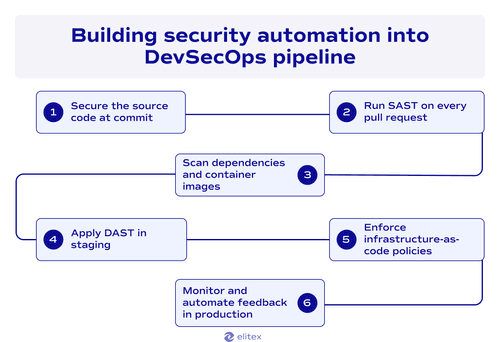
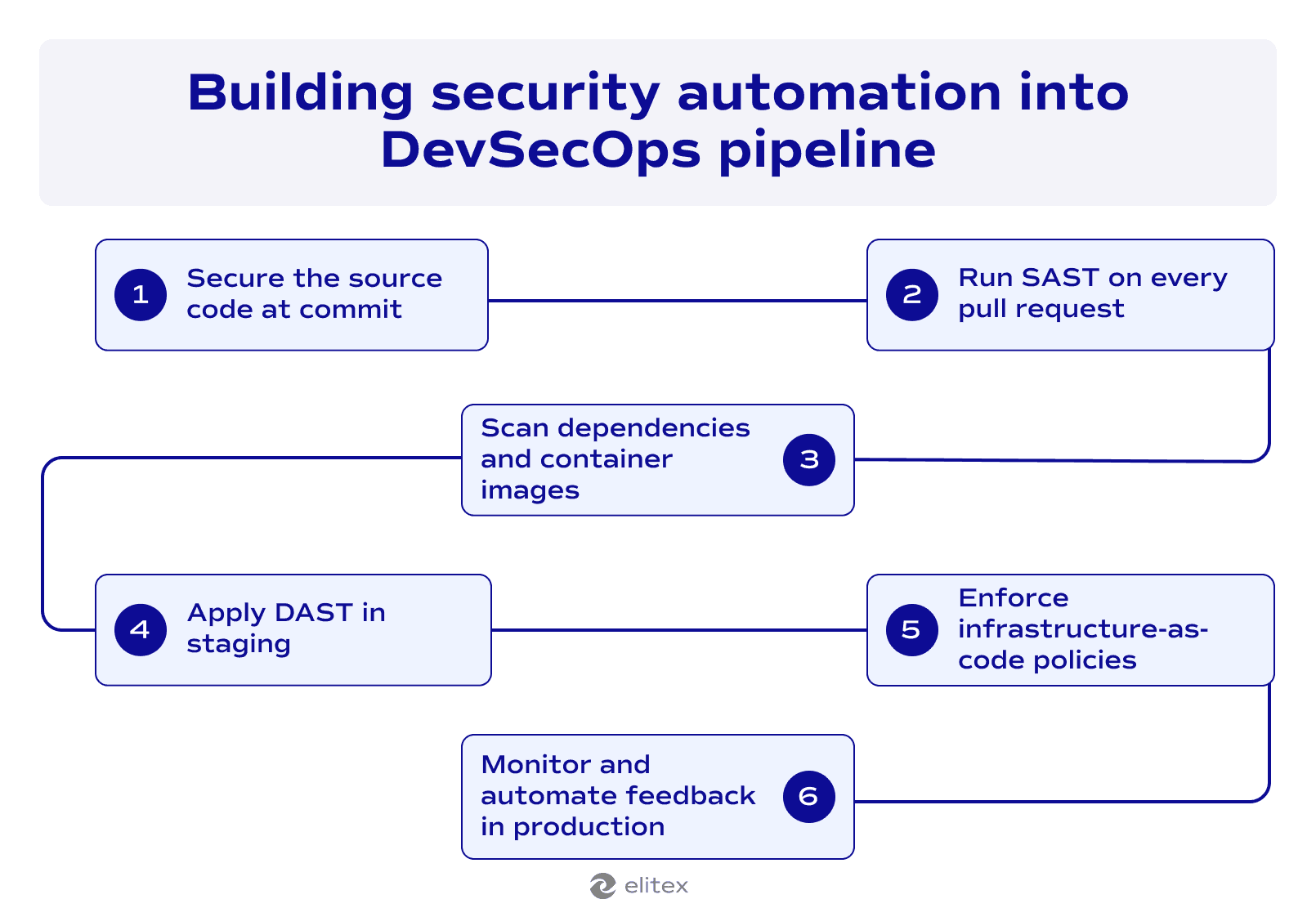
Step 1: Secure the source code at commit. Security testing should start at the earliest possible moment: the commit. Pre-commit hooks should scan for hardcoded secrets, API keys, and credentials before they ever reach the repository. That matters because once a secret enters version control history, removing it requires rewriting commits across every branch that touched it. Pair this with branch protection rules that require signed commits, so your source code history maintains a verifiable chain of authorship.
Step 2: Run SAST on every pull request. Static application security testing (SAST) analyzes your code without executing it, looking for SQL injection, cross-site scripting, insecure deserialization, and other vulnerability classes. The key to making SAST useful is tuning. Out-of-the-box rulesets generate noise that trains developers to ignore findings. So invest the upfront time to suppress false positives and calibrate severity thresholds. When a SAST scan runs on every pull request with well-tuned rules, it becomes a trust signal rather than a nuisance.
Step 3: Scan dependencies and container images. Your application's source code might be clean, but the libraries it imports carry their own vulnerabilities. Software Composition Analysis (SCA) tools map every dependency to known CVE databases and flag components with active exploits. Container image scanning adds another layer by checking base images for outdated packages and misconfigurations. This step catches risks that originate entirely outside your codebase.
Step 4: Apply DAST in staging. Dynamic application security testing (DAST) flips the perspective. Where SAST reads your code, DAST interacts with your running application the way an attacker would: sending malformed inputs, probing authentication flows, and testing for misconfigurations that only surface at runtime. Run DAST scans against staging after every deployment to that stage. This is where DevOps test automation and security converge, because the same pipeline that runs your functional tests can trigger DAST scans in parallel. The findings complement SAST because some vulnerabilities only emerge when multiple components interact under real conditions.
Step 5: Enforce infrastructure-as-code policies. Pipeline management should include policy-as-code checks on every Terraform plan, CloudFormation template, or Kubernetes manifest before it reaches production. Tools like Open Policy Agent (OPA) or Checkov validate that your infrastructure definitions follow security baselines: no public S3 buckets, no overly permissive IAM roles, no unencrypted storage volumes. DevOps infrastructure automation services lose much of their value without these guardrails, because automated provisioning at scale also means automated misconfigurations at scale.
Step 6: Monitor and automate feedback in production. Testing automation doesn't end at deployment. Runtime security monitoring watches for anomalous behavior, unexpected network connections, privilege escalation attempts, and container drift. When monitoring detects a threat, the response should feed back into the pipeline: a new finding becomes a new rule in your SAST or DAST configuration, a new policy in your IaC checks, or a new test case in your security suite. That closed loop is what makes DevOps transformation sustainable. Without it, you're running disconnected scanners, not a mature DevSecOps pipeline.
Best practices for secure DevOps automation
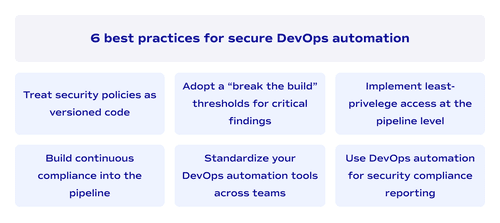
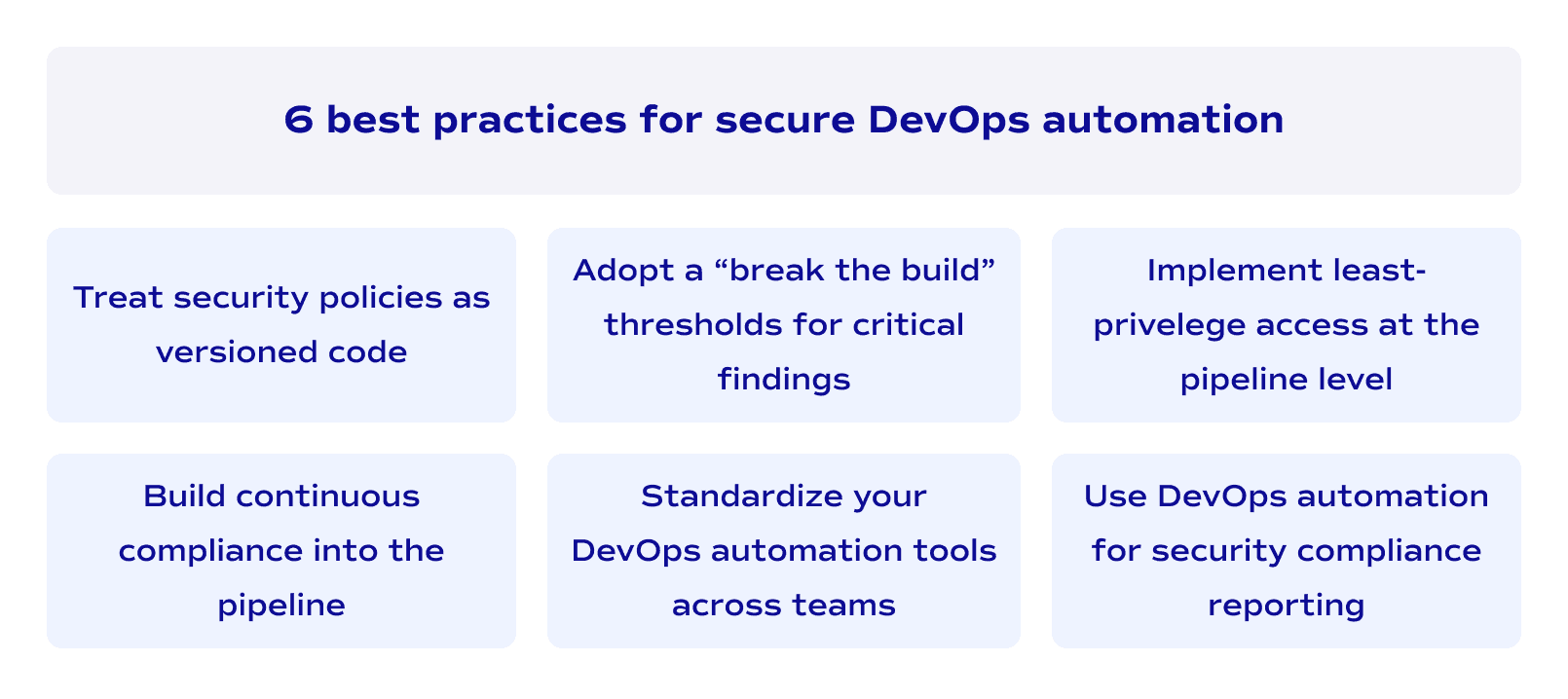
1 . Trust security policies as versioned code.
Store every security rule, compliance check, and access policy in the same version control system your application code lives in. That way, changes to security configurations go through the same peer review and approval process as any feature branch. Security automation in DevOps only scales when policies are reproducible and auditable, not locked inside a GUI that one person manages.
2 . Build continuous compliance into the pipeline
Compliance audits shouldn't be quarterly fire drills. Continuous compliance means encoding regulatory requirements as automated checks that run on every deployment, producing audit-ready evidence without manual effort. When an auditor asks for proof that encryption standards were enforced last Tuesday, your pipeline logs should answer that question in seconds with continuous compliance monitoring.
3 . Adopt a "break the build" threshold for critical findings
Not every vulnerability should stop a deployment, but critical ones must. Define clear severity thresholds that automatically block a release when a finding crosses the line. The hard part is organizational commitment: the threshold only works if leadership backs the engineering team when a deadline slips because a critical scan failed.
4 . Standardize your DevOps automation tools across teams
When each team picks its own scanning, monitoring, and policy enforcement stack, you end up with fragmented visibility and inconsistent security baselines. Select a core set of DevOps automation tools and enforce them as the organizational standard. Consolidation gives your security team a single pane of glass and makes cross-team knowledge sharing (the "S" in CAMS) actually possible.
5 . Implement least-privilege access at the pipeline level
Your CI/CD runners and deployment service accounts should have the minimum permissions needed to execute their tasks. Overly permissive pipeline credentials are a high-value target because compromising one runner can give an attacker access to production secrets and deployment controls. Rotate credentials automatically and scope each pipeline stage to only the resources it touches.
6 . Use DevOps automation for security compliance reporting
Manual compliance reporting introduces delays and human error into a process that needs to be precise. Automate the generation of compliance reports directly from pipeline telemetry: scan results, policy enforcement logs, access audit trails, and deployment approval records. That automation turns compliance from a cost center into a byproduct of your existing workflow.
Common pitfalls that undermine secure DevOps and how to overcome them
Even with the right tools in place, recurring DevOps security challenges can erode your security posture from the inside. The table below maps the most common pitfalls we've seen across client engagements and the adjustments that a secure DevOps methodology requires to address each one.
| Pitfall | Why it happens | How to overcome it |
| Alert fatigue from untuned scanners | Teams deploy SAST and DAST tools with default rulesets and never calibrate them. Developers start ignoring findings after the first week of false positives. | Dedicate time upfront to suppress irrelevant rules and adjust severity thresholds. Review false positive rates monthly and refine configurations based on what your team actually encounters. |
| Security as a gate, not a loop | Security checks exist only as a pre-deployment gate. Findings in production never feed back into earlier pipeline stages. | Close the feedback loop by routing production security events into your SAST rules, DAST configurations, and IaC policies. Every incident should produce at least one new automated check. |
| Tool sprawl without integration | Each team adopts its own security tooling, creating siloed dashboards and inconsistent coverage. Nobody has a unified view of the organization's security posture. | Standardize on a core toolset and centralize findings into a single reporting layer. Consolidation matters more than having the best tool in every category. |
| Compliance theater | Teams generate compliance artifacts to pass audits but don't use them to improve actual security outcomes. The reports look good on paper while real risks go unaddressed. | Tie compliance checks to measurable security metrics. If a compliance report can't tell you whether your vulnerability remediation time improved this quarter, it's not providing real value. |
| Overprivileged pipeline credentials | CI/CD service accounts accumulate permissions over time as new stages are added, creating a single point of compromise that can reach production secrets. | Audit pipeline permissions quarterly. Scope each stage to the minimum resources it needs and rotate credentials automatically. Treat your pipeline as an attack surface, not a trusted zone. |
| Treating automation as a replacement for security expertise | Leadership assumes that automated scanners eliminate the need for security engineers. Tooling catches known patterns, but novel attack vectors and architectural risks require human judgment. | Use DevOps automation to handle volume and speed. Keep security engineers focused on threat modeling, architecture reviews, and tuning the automated rules that scanners depend on. |
Implementing security automation and measuring security outcomes: Best DevOps tools
As a final part, let’s add a few words about the tooling. Choosing the right DevOps security automation tools depends on where your pipeline has the widest gaps. The three platforms below cover different layers of the security automation stack, and each one has earned its place through production-grade reliability rather than marketing buzz.
Snyk
Snyk focuses on developer-first security. It scans your dependencies, container images, and infrastructure-as-code templates directly inside the IDE and pull request workflow. What makes Snyk effective is that it provides fix suggestions alongside findings, so developers can remediate without context-switching into a separate security console. That developer proximity is why adoption tends to stick.
HashiCorp Vault
HashiCorp Vault solves the secrets management problem that underpins most credential-related breaches. Vault centralizes secrets storage, automates credential rotation, and provides dynamic secrets that expire after a defined TTL. If your pipeline currently passes API keys through environment variables or config files, Vault eliminates that entire class of exposure.
Aqua Security
Aqua Security operates at the container and cloud-native layer. It covers image scanning, runtime protection, and Kubernetes policy enforcement in a single platform. For organizations running microservices at scale, Aqua provides the visibility into workload behavior that generic DevSecOps automation tools can't match because it was built specifically for containerized environments.
Tooling only tells half the story. The other half is knowing whether your security posture is actually improving. Track four metrics consistently: mean time to remediate critical vulnerabilities, percentage of deployments passing all automated security gates on the first attempt, false positive rate across your scanning tools, and the ratio of vulnerabilities caught in the pipeline versus those discovered in production. Those 4 numbers give you a clear picture of whether your security automation is maturing or stalling. Review them monthly with both engineering and security stakeholders, because metrics that only one team sees rarely drive organizational change.
How ELITEX can help with cloud security and DevOps automation
Every pipeline we've described in this guide reflects patterns we've built and refined across real client engagements. ELITEX engineers have configured security automation for fintech platforms operating under strict regulatory frameworks and healthcare systems handling protected patient data. That compliance automation experience means we know the difference between a scan that satisfies an auditor and one that actually catches threats before production. We staff projects with mid-to-senior engineers who own security outcomes directly, with no middlemen between your team and the people writing the policies. Whether you need a full DevSecOps pipeline build from scratch, a security audit of your existing automation, or targeted help closing gaps in your CI/CD security gates, we bring the cross-industry perspective to match the solution to your actual risk profile. You can start with a free consultation to scope what your pipeline needs.

DevOps security automation FAQ
What is secure DevOps automation, and how does it differ from traditional security?
Secure DevOps automation embeds security checks directly into every stage of your CI/CD pipeline, from commit to production. Traditional security operates as a separate phase at the end of the release cycle, which means vulnerabilities are discovered late when remediation is expensive. The automated approach catches findings in real time, giving developers actionable feedback while the code is still fresh.
How does secure DevOps automation testing fit into existing CI/CD workflows?
Secure DevOps automation testing integrates into the same pipeline stages your functional tests already use. SAST runs on every pull request alongside code review. DAST runs in staging alongside integration tests. The key is parallel execution: security scans shouldn't add a separate waiting period but should run concurrently with the test suites your pipeline already triggers.
What is the first step to implementing secure DevOps automation?
Start with secrets detection at the commit level. Pre-commit hooks that scan for hardcoded credentials are the fastest win because they prevent the most common and most damaging class of vulnerability. From there, layer in SAST, dependency scanning, and policy-as-code checks incrementally. Trying to deploy every security gate at once creates friction that slows adoption and frustrates developers.
How long does it take to see measurable results from DevOps security automation?
Most engineering teams see a measurable drop in production-level vulnerabilities within the first two to three months of implementing automated security gates. The early gains come from catching low-hanging findings like exposed secrets and known CVEs in dependencies. Deeper improvements in mean time to remediation and first-pass security gate compliance typically stabilize around the six-month mark, once the scanning tools are properly tuned and the feedback loops are closed.