



- TL;DR: This article explains how real estate companies can connect legacy software platforms with modern tools without replacing core software.
- We cover the benefits of legacy software integration and explain why and when it beats full replacement.
- This guide describes six simple integration strategies that work: API integration, middleware solutions, ETL processes, service layer architecture, file-based transfer, and database-level integration.
- We break down how each approach works, what it costs, and when to use it.
- You’ll find practical steps for building an integration process that fits your team’s needs
- We explain how to assess your current systems and identify integration priorities.
- The article includes security considerations and data protection strategies.
- Two detailed case studies show real-world examples: a property management firm connecting 15-year-old software with new CRM tools, and a brokerage linking legacy accounting systems to modern analytics platforms.
Legacy systems still run core operations at many real estate companies. These platforms hold property data and client records, but often they can’t connect to modern CRMs, marketing automation, document management, analytics tools, or other software crucial for success in real estate. This disconnect forces agents and brokers to waste hours copying data between systems. Wasted manual work, in turn, creates inconsistencies that eventually delay closing and frustrate clients.
As a custom real estate software development company, we at ELITEX know how to solve exactly this problem. Our experience spans multiple legacy system integration projects across several property management systems. We see the same challenges surface repeatedly, regardless of company size or market focus. The patterns we observe align with broader industry data that reveals the true scale of the issue:
- Only 34% of real estate companies have completed or mostly completed their modernization efforts, which practically means two-thirds of the industry still struggles with outdated infrastructure. The financial impact becomes ever clearer when you consider that over 60% of IT budgets go toward maintaining legacy platforms instead of building new capabilities.
Real estate software integration changes this equation. It eliminates manual workflows while redirecting resources toward growth. Learning how to integrate legacy systems accomplishes this without replacing infrastructure that actually works. This guide examines proven integration approaches, from API connections to phased data migration strategies. You’ll find real examples from brokerages and property management firms that completed these transitions, along with technical considerations that determine which method fits your situation. So, without any further ado, let’s go!
What are legacy systems in real estate?
In the context of real estate, legacy systems are older software solutions that still handle critical business operations despite their age. Typically, “legacy software” here includes outdated CRM platforms like older versions of Top Producer and Act!, custom-built property management tools developed decades ago, traditional Multiple Listing Service databases, and proprietary transaction management software. These legacy applications were built when technology requirements and customer expectations looked different. They solved specific problems at the time, but now create new ones as business needs evolve.
The application architecture of these systems reveals why integration becomes so difficult. Most real estate legacy systems run on on-premises hardware that sits in company offices. This setup gives firms direct control over their data but blocks remote access and limits scalability. The internal structure only makes things worse. These platforms typically use monolithic designs where all components of software are connected tightly together. Data sits in isolated silos that don’t communicate with other data or with external tools. This rigid architecture prevents integration with modern capabilities like AI-driven analytics, mobile applications, automated marketing platforms, or cloud-based collaboration tools.
Why is integrating legacy systems crucial for real estate businesses?
However, the stakes go beyond technical conventions. Integration decisions basically shape your ability to compete and grow profitability. Here’s why connecting real estate legacy systems to modern platforms matters for your bottom line:
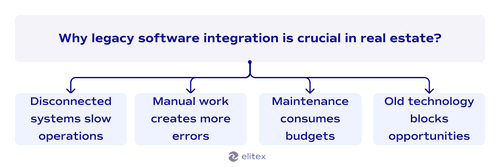
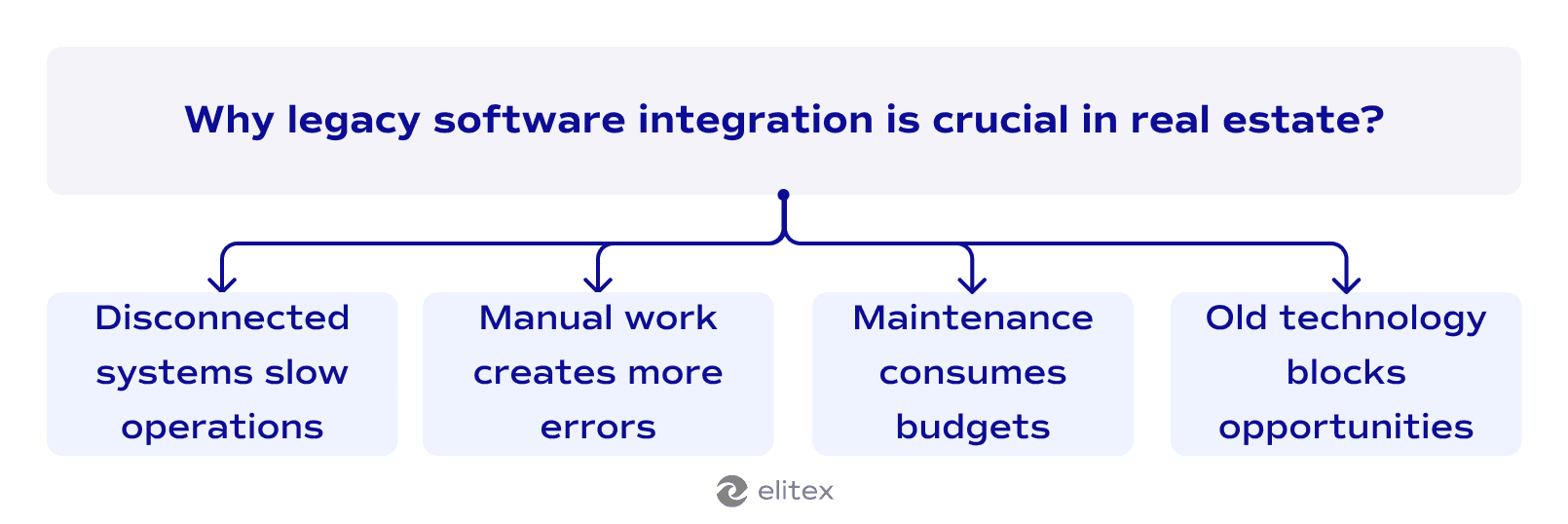
- Disconnected systems slow operations. Without integration, your agents spend hours switching between platforms to find client information. Legacy system software forces staff to check one system for contacts, another for properties, and a third for transactions. Integration centralizes access and accelerates deal closures.
- Manual work creates errors. Copying data between systems not only slows operations but also introduces mistakes. A single typo sends marketing to the wrong person or displays incorrect property details. Integrated platforms maintain one source of truth.
- Maintenance consumes budgets. Companies spend heavily on keeping outdated infrastructure operations. Well-designed integration reduces this overhead while adding modern security features that protect client data. The freed budget funds revenue-generating tools instead.
- Old technology blocks opportunities. Legacy applications deliver a poor user experience compared to what buyers expect nowadays. Integration unlocks new features like AI-powered lead qualifications and predictive analytics, along with a better user experience for your end customers.
Best strategies to integrate legacy systems with modern real estate software
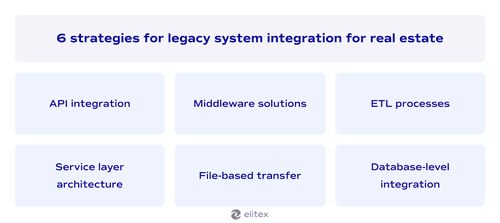
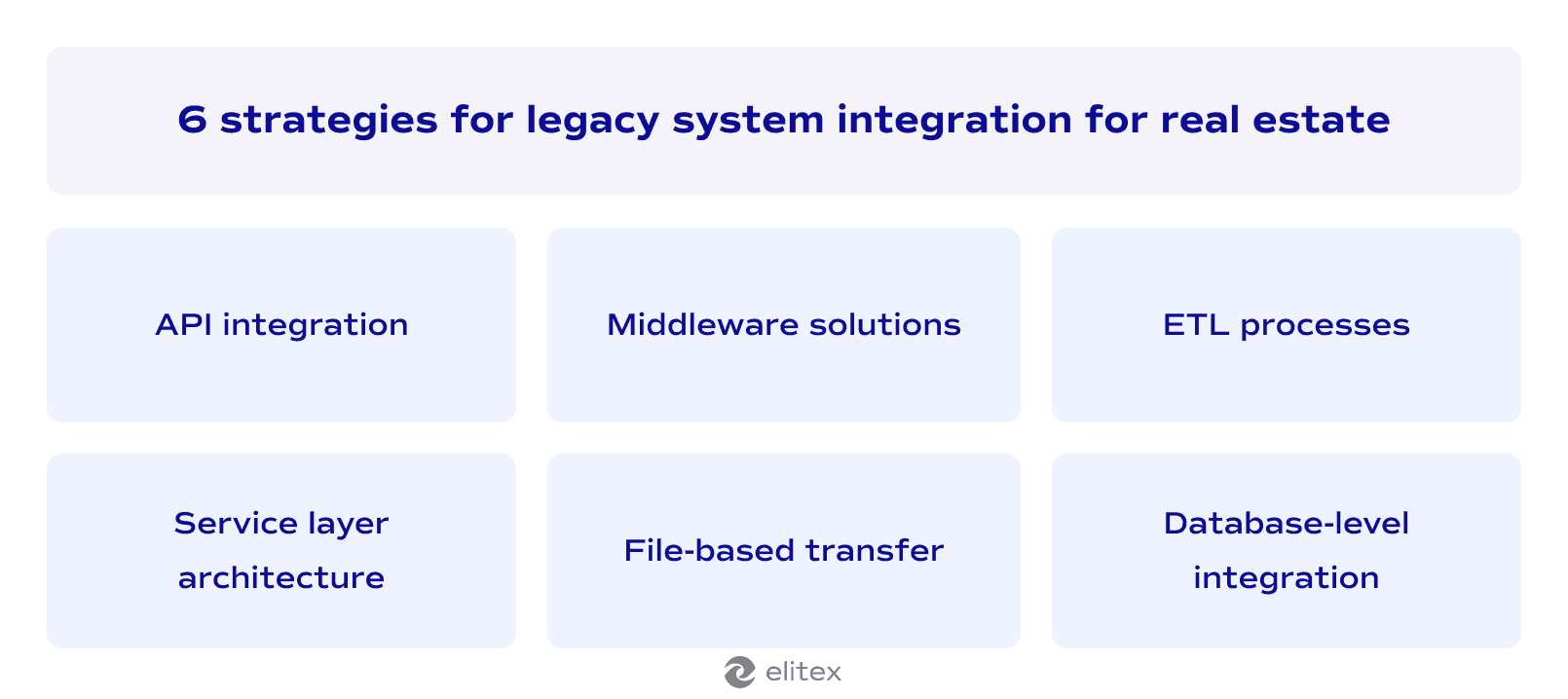
When it comes to practice, there are several possible scenarios for integrating legacy real estate software with modern applications. Today, we’ll take a look at API integration, middleware solutions, ETL processes, service layer architecture, file-based transfer, and database-level integration.
Each method solves a specific technical challenge. Your legacy system’s capabilities determine which approaches are feasible, while your business requirements determine which one delivers the results you need.
API integration
When to use: This strategy works when your legacy vendor provides API documentation or when you have access to the system’s codebase.
Outcomes: The outcome is a bidirectional data flow where changes in either system immediately reflect in the other.
Check if your legacy system has REST or SOAP APIs that can connect to a modern platform. Many older property management systems include APIs that vendors never updated, but still function. If the API exists, configure it to sync data in real time with your new software. If your system lacks APIs, hire developers to build a custom API layer that exposes your legacy data without rewriting the entire application.
Middleware solutions
When to use: Use this approach when you need to connect multiple systems simultaneously or when direct integration isn’t technically possible. Middleware excels in scenarios where your legacy platform uses proprietary data formats that modern software can’t read natively.
Outcomes: Here, the result is a central hub that routes and transforms data between all your platforms without modifying any of them.
Deploy an Integration Platform as a Service (iPaaS) like MuleSoft or Dell Boomi, or set up an Enterprise Service Bus (ESB) like Apache Camel. Configure the middleware to read data from your legacy system's outputs and translate it into formats your modern software accepts. The middleware acts as an interpreter that sits between incompatible systems. You define transformation rules once in the middleware, and then it handles all data conversion automatically without requiring changes to either your old or new platforms.
Extract, Transform, Load (ETL) processes
When to use: Choose ETL when migrating years of archived data or when real-time sync isn’t necessary for your operations.
Outcomes: You get clean historical records in your new system while your legacy platform continues handling current transactions. The approach works particularly well for analytics and reporting, where you need complete historical context but don’t require up-to-the-second accuracy.
Use ETL tools like Talend, Apache NiFi, or Microsoft SSIS to pull data from your legacy database. First, extract the records you need from your old system on a scheduled basis. Then transform the data by cleaning it, standardizing formats, and mapping fields to match your new system’s architecture. Finally, load the transformed data into your modern database. Schedule these ETL jobs to run nightly, weekly, or whatever interval matches your business needs.
Service layer architecture
When to use: This strategy fits situations where your legacy system has rigid output formats that don’t match modern standards. It also works when you need to enforce new data quality rules before information reaches other systems.
Outcomes: Controlled data flow where you can enforce new business logic without touching decades-old code.
Build a custom service layer using frameworks like Spring Boot or Node.js that sits on top of your legacy system. This layer intercepts data requests and responses, validates incoming information against your current business rules, transforms data into required formats, and routes it to the appropriate destination system. The service layer exposes modern APIs that your new applications can call, while internally it communicates with your legacy system using whatever outdated protocols the old platform requires.
File-based transfer
When to use: Use this method when dealing with systems that only support file outputs or when network security policies prevent direct connections.
Outcomes: You achieve reliable data movement without complex technical integration. The approach requires minimal changes to your existing infrastructure and works even with the most outdated systems that lack any connectivity options.
Configure your legacy system to export data files in formats like CSV, XML, or JSON on a regular schedule. Set up automated jobs that move these files to a designated folder or SFTP server. Then configure your modern system to monitor that location, pick up new files when they appear, and import the data automatically. You can use scheduling tools like cron jobs or Windows Task Scheduler to orchestrate the entire process without manual intervention.
Database-level integration
When to use: Apply this approach when your legacy database is well-documented and when you need the fastest possible read access to historical data.
Outcomes: Modern tools can query your legacy data directly, but you must coordinate any schema changes across all connected applications.
Identify your legacy system’s database (SQL Server, Oracle, MySQL, or others) and obtain read access credentials. Configure your modern applications to connect directly to the legacy database using JDBC, ODBC, or native database drivers. Set up views or stored procedures in the legacy database that present data in formats your modern applications expect. Document the database schema thoroughly so developers know which tables and fields contain the data they need.
How to integrate legacy systems with modern real estate software (step-by-step)
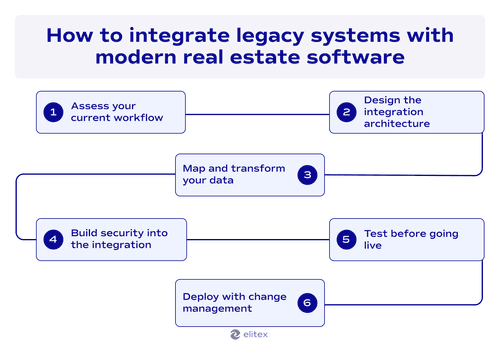
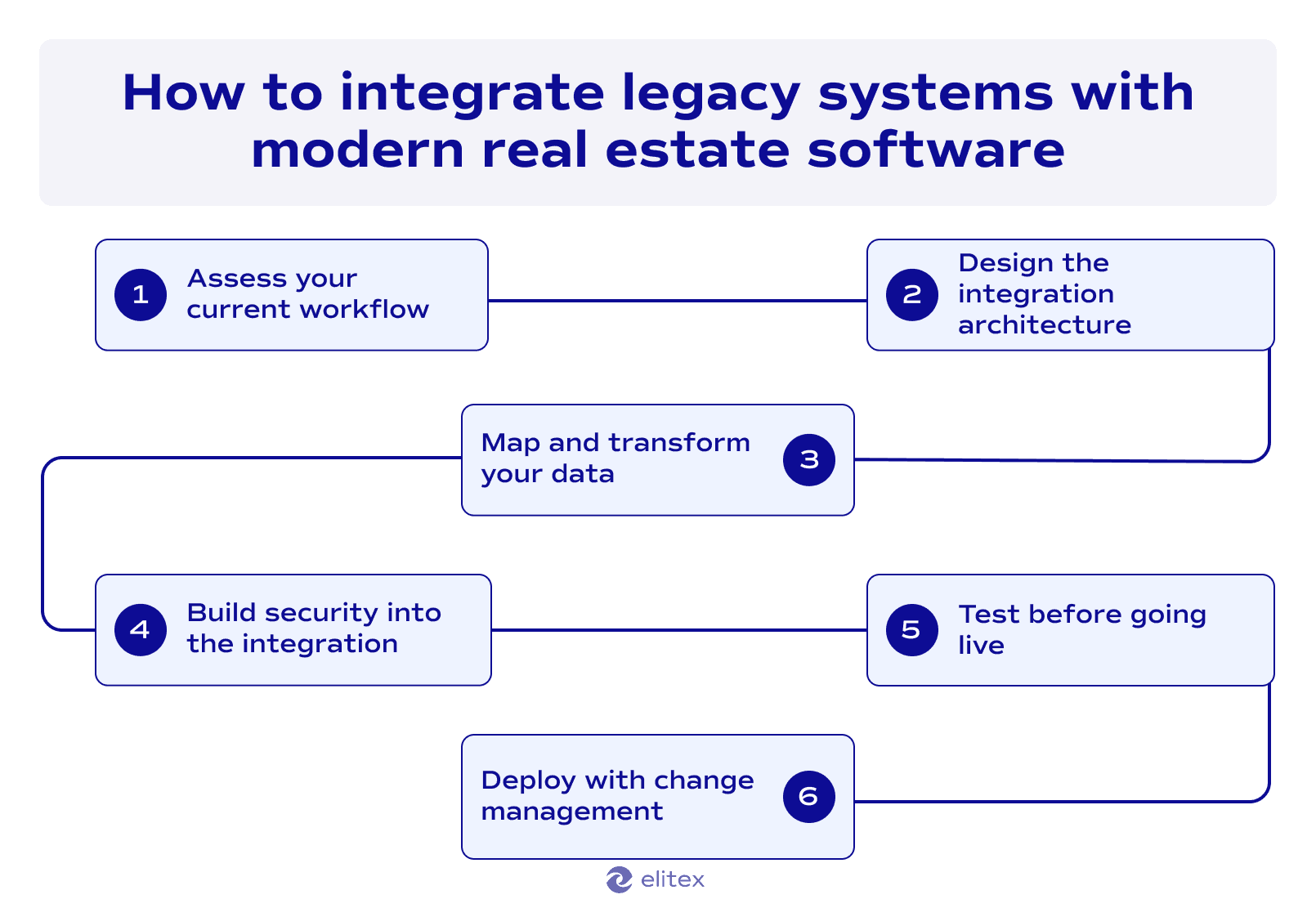
Step 1: Assess your current system
Document what legacy system software does and which departments depend on it. Identify where data silos exist and which processes break when information can’t flow between platforms.
Step 2: Design the integration architecture
The architecture you select determines implementation complexity and maintenance requirements. Consider your budget constraints and whether you need instant synchronization or can work with scheduled updates. Then, choose an integration strategy that matches your technical constraints and business goals. Review the strategies we covered earlier in this guide: API integration for real-time sync, middleware solutions for multiple system connections, ETL processes for historical data migration, service layer architecture for enforcing new business rules, file-based transfer for air-gapped systems, or database-level integration for direct data access.
Step 3: Map and transform your data
Document the data structure in your legacy system and how it needs to transform for modern platforms. In case you have a monolithic architecture, extracting data becomes more complex because all components are tightly coupled. Your legacy database likely stores information in formats that modern systems don't recognize. Proprietary field structures require translation, date formats need standardization, and coded values must convert to readable text.
Data integration succeeds when you define exact field mappings and transformation rules before writing any code. Create a spreadsheet that lists every field in your legacy database alongside its corresponding field in the new system. Note which fields need format changes, which combine into single fields, and which split into multiple fields. This mapping document becomes your blueprint for the entire integration project.
Step 4: Build security into the integration
Implement encryption protocols that protect data as it moves between your legacy and modern systems. Use SSL/TLS for data in transit and set up authentication requirements for every system that accesses your integration layer. Work with your IT team to define access controls that specify which users and applications can read or write data through the integration. Test these security measures before deploying to ensure client information stays protected throughout the entire data flow.
Step 5: Test before going live
Run integration tests with real data in a staging environment that mirrors production. Verify that information flows correctly in both directions and that your legacy system continues functioning normally.
Step 6: Deploy with change management
Roll out the integration in phases rather than switching everything at once. Train staff on new workflows and provide documentation for common scenarios. Strong change management prevents operational efficiency from dropping during the transition period while your team adapts to the new system. Schedule training sessions before each rollout phase. Assign champions in each department who understand both the old and new systems. Monitor performance metrics closely during the first month to catch issues before they compound.
Key challenges of legacy system integration
| Challenge | How to mitigate |
| Incompatible data formats between the old and new software | Map all data before starting integration. Use ETL tools to transform legacy formats into modern standards. Test transformations with sample datasets to catch format mismatches early. |
| Missing or outdated API documentation | Work with your legacy vendor to obtain current documentation. If unavailable, reverse engineer the system by monitoring its database transactions. Also, you can consider middleware solutions that don’t require direct API access. |
| System downtime during integration | Implement integration in phases rather than all at once. Run old and new systems in parallel during transition. Schedule critical integration steps during off-peak hours to minimize business impact. |
| Data corruption or loss during migration | Create complete backups before starting any integration work. Test data transfers in a staging environment that mirrors production. Verify data integrity at each step before moving to the next phase. |
| High integration costs exceeding budget | Start with high-impact integrations that solve your biggest operational problems. Use file-based transfer for non-critical data to reduce development costs. Consider cloud-based iPaaS solutions that charge monthly instead of requiring a large upfront investment. |
| Staff resistance to new workflows | Involve end users in planning to understand their needs. Train employees before launching each integration phase. Assign department champions who can help colleagues adapt to changes. |
| Poor performance after integration | Load test your integration with realistic data volumes before going live. Monitor system performance closely during the first month. Optimize database queries and add caching where needed to maintain speed. |
| Security vulnerabilities in data transfer | Encrypt all data moving between systems using current protocols. Implement role-based access controls that limit who can view or modify integrated data. Conduct security audits before and after deployment to identify gaps. |
Examples of legacy system integration for real estate
Example # 1. AFI Properties: Connecting SAP to Salesforce with iPaaS
AFI Properties Ltd. operates as a publicly traded real estate investment company managing commercial properties and short-term rentals across multiple countries. Founded in 1971, the company expanded from B2B operations into B2C markets, suddenly needing to handle thousands of individual customers instead of corporate clients. This shift exposed the limitations of their closed SAP Business One system, which couldn’t communicate with modern customer management tools.
The company deployed Salesforce CRM as their customer relationship platform, but faced a critical integration challenge. Their financial data lived in on-premises SAP while customer interactions happened in cloud-based Salesforce. AFI Properties chose Workato as their middleware solution, creating a hybrid integration that connected both systems without modifying either platform. The iPaaS approach here matched the middleware strategy we covered earlier, where the integration layer sits between incompatible systems and handles all data translation automatically.
The integration simplified automated invoice processing for thousands of properties monthly across several countries. Financial data from SAP now displays in real time within Salesforce, giving sales and collection teams immediate access to billing information. What makes this case interesting is how AFI properties gained technical independence after legacy software integration implementation. Sales managers and operations staff can adjust data synchronization rules and create new automated processes using Workato’s interface without submitting IT tickets, giving them control over how customer data flows between their billing and sales systems.
Example # 2. Cresa New York: Migrating from spreadsheets to specialized CRM
Cresa New York ranks among the largest commercial real estate advisory firms globally, specializing in tenant representation across technology, financial, legal, and healthcare industries. The company largely relied on Excel spreadsheets and CSV files as their primary data storage for property information, lease comparisons, and client records. They also used a generic corporate Salesforce deployment that lacked commercial real estate functionality, creating data silos where information sat trapped in disconnected systems.
The firm implemented AscendixRE, a Salesforce-based CRM platform built specifically for commercial real estate operations. Here, legacy system integration simultaneously combined several approaches from our earlier discussion. An ETL process extracted data from spreadsheets and CSV files, cleaned and transformed the information, and then loaded it into the new platform. API connections linked AscendixRE with the existing Salesforce infrastructure for ongoing synchronization. At the database level, developers created a unified system consolidating disparate sources into a single cloud-based repository with commercial real estate-specific fields and workflows.
In this example of digital transformation in real estate, we see how the company moved over 8,000 records with 95% accuracy, far exceeding the initial 50% accuracy expectation. Each user now saves three hours weekly on data management tasks that previously involved combining multiple spreadsheets. The remarkable outcome wasn’t just the technical success but the operational impact. Principals can now focus on deal preparation instead of wrestling with fragmented data sources, and field staff can access complete property information through mobile apps integrated with the centralized system.
Also, read our separate article dedicated to real estate app development.
How a tech partner can help in real estate legacy system integration
However, most integration projects require technical skills that go beyond typical in-house capabilities. At ELITEX, we saw firsthand how real estate companies often start these projects internally, then run into problems their teams can't fix. The issues vary. Proprietary data formats fail to translate between systems. Authentication protocols clash when old and new platforms connect. Security gaps appear during testing with no obvious solution. These problems trace back to outdated architectures that behave in unexpected ways when linked to modern software. An experienced real estate tech partner solves these challenges faster because they've handled similar legacy systems before for many times. They know the common failure points and how to fix them.
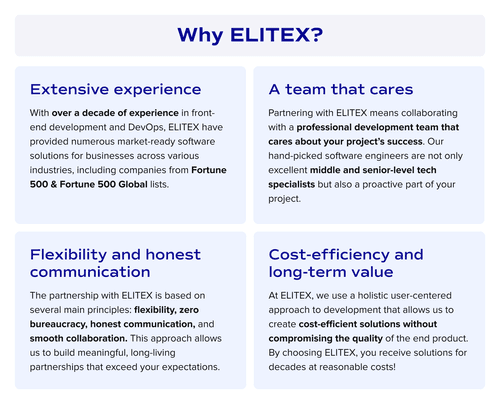
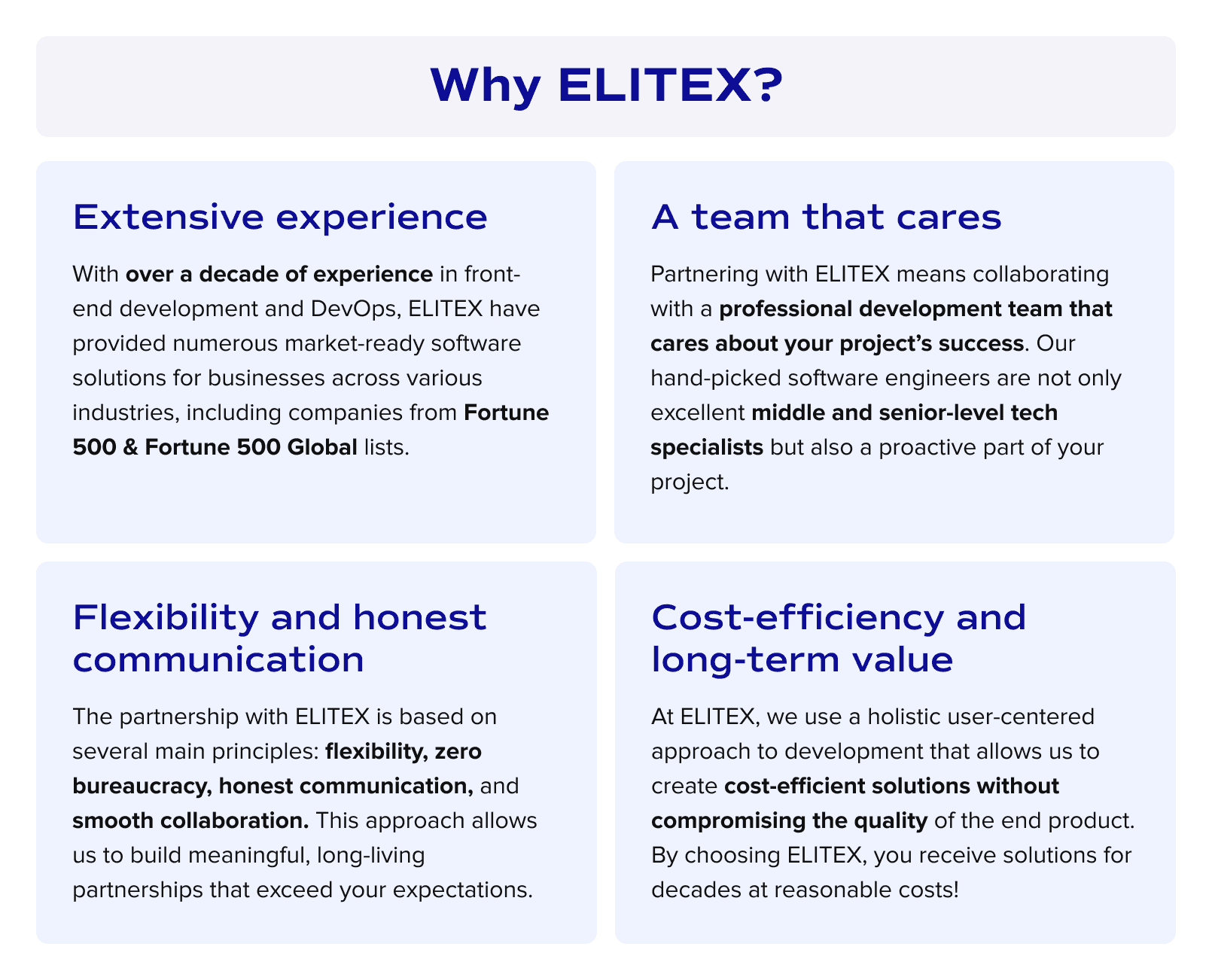
ELITEX operates as a custom software development company with over a decade of experience in legacy software modernization and integration projects. Our work spans multiple legacy real estate-specific platforms that firms built decades ago and still depend on today. We understand how legacy applications structure data differently from modern systems, so we know how to transform your data without breaking it.
When you partner with us on real estate software integration, we start by thoroughly assessing your current infrastructure. Then our software specialists recommend the bespoke integration approach that matches your technical reality and business needs. Implementation happens in phases, so your operations continue without disruption. ELITEX have successfully connected systems that other providers deemed incompatible. We believe that honest communication, combined with our methodical approach, allows us to consistently deliver results beyond initial expectations.
Contact us to discuss your legacy integration project today!
FAQs
How long does legacy system integration take for real estate companies?
Integration timelines vary based on system complexity and data volume. Simple API connections take weeks, while comprehensive real estate software integration projects with ETL processes and data transformation can take several months. But don’t worry. Phased implementation with an experienced tech partner, such as ELITEX, allows you to start using parts of the integration while other components are still being built.
Can legacy systems connect to cloud-based systems securely?
Yes. Modern integration methods include encryption protocols and authentication mechanisms that protect data moving between on-premises legacy platforms and cloud-based systems. SSL/TLS encryption secures data in transit, while role-based access controls limit who can view or modify information through the integration layer.
Will integration disrupt our daily operations?
Proper planning ensures business continuity throughout the integration process. The phased deployment approach means old and new systems run in parallel during transition. Critical integration steps happen during off-peak hours. Your team continues working normally while the integration builds around existing workflows.
What happens to our legacy system after integration?
Your legacy platform continues operating alongside the modernized application. Integration typically creates connections between systems rather than replacing them. Some companies eventually phase out legacy software once all functionality moves to a modern platform, while others maintain both systems indefinitely because the legacy database still handles specific processes that work well.
POSTED IN: